
 FA+
FA+ Shop
Shop


Photo + Photoshop))
my character Orphen Sirius the fox and wacom ^^
my character Orphen Sirius the fox and wacom ^^
Category All / All
Species Mammal (Other)
Size 1280 x 924px
File Size 132.7 kB
Listed in Folders







I can't imagine these things just come out of tablets like magic.
The tablet is a tool, like a hammer or wrench, but for artists instead of carpenters. It's the digital paintbrush and pencil. What you do with it is entirely your own thing, but only a poor workman blames his tools. People can create gorgeous works of art with shoddy wax-y crayons (which is why I keep my set) as well as high end markers like Copics, and some with nothing at all, but it's the person, not the tool.
The tablet is a tool, like a hammer or wrench, but for artists instead of carpenters. It's the digital paintbrush and pencil. What you do with it is entirely your own thing, but only a poor workman blames his tools. People can create gorgeous works of art with shoddy wax-y crayons (which is why I keep my set) as well as high end markers like Copics, and some with nothing at all, but it's the person, not the tool.


















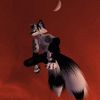










Okay, this is legitimately beautiful. I just love the vibes that radiate from this: it's whimsical, and it gives off the feeling of the traditional idea of a "muse," almost as if the character is guiding the hand of the artist through their pen. Please keep it up, I'd love to see more work like this from you <3
Sincerely,
Your Friendly Neighborhood Jericho Wing
Sincerely,
Your Friendly Neighborhood Jericho Wing

























































wow, i had to stare at this image just to prove to myself that the figure is painted. What a excellent job with lighting and focus. Honestly for the first few seconds, I thought you had made some kinda of sculpty figure for the tablet. Please keep this kind of artwork coming, the world needs this.

I have one too. But I seem to have trouble with it as it feels pretty constricting. It's hard to explain, but the tablet panel area acts as a screen so whenever I have my pen moved off and on it again, the cursor seems to "hop" over to the area down to the area where my pen is pointing? how do I remove this problem and make it move freely instead of locked?



















I find it hilarious that my setup here is almost completely identical to your's. I have the same exact white bamboo tablet and a keyboard that looks identical to yours in the same spot. If I took a picture from the same angle, the only thing that would be different is that silver cup-shaped thing behind the keyboard and the color difference in my desk. lawl





















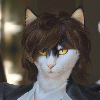















this looks awesome! ♥ I thought at first (when i saw the thumbnail) that maybe you had modeled a felt stitched doll, but then when I clicked I saw you drew it! Amazing painting :)
also, the old bamboo fun tablet is the best tablet ever? i had one and until windows 10 broke its drivers, it worked flawlessly for me for over ten years. such a reliable tablet. So sad they discontinued this specific model.
also, the old bamboo fun tablet is the best tablet ever? i had one and until windows 10 broke its drivers, it worked flawlessly for me for over ten years. such a reliable tablet. So sad they discontinued this specific model.

Not wanting to be the guy but the drivers work for me. At least on programs like gimp with some configuration.
You can find the drivers on the wacom website still and they should be updated for windows 10. They are however simplified and have a bit less variety, but still do a good job.
You can find the drivers on the wacom website still and they should be updated for windows 10. They are however simplified and have a bit less variety, but still do a good job.
Go to https://www.wacom.com/en-cn/support/bamboo-support
"Driver for Driver for Bamboo (MTE), Bamboo Craft (CTH), Bamboo Fun (CTE), Bamboo Pen (CTL) and Bamboo Pen & Touch (CTH)"
And just install. It'll work just fine on Win 10. You still get button programming and all of that and it functions.
"Driver for Driver for Bamboo (MTE), Bamboo Craft (CTH), Bamboo Fun (CTE), Bamboo Pen (CTL) and Bamboo Pen & Touch (CTH)"
And just install. It'll work just fine on Win 10. You still get button programming and all of that and it functions.
Had a friend who was on the fence about getting a drawing tablet. I recommended picking up a wacom bamboo fun on ebay because mine after 8 years is still going strong. used your picture as an example of what you can do with that old thing, even if it is old tech, it still does a great job. It's just a shame they don't make them anymore.




Comments