
 FA+
FA+ Shop
Shop
230
Views
Views
1
Favorites
Favorites
Category
All / All
Species Unspecified / Any
Size 1024 x 629
File Size 279.3 kB
Report this content
More from Dayelyte


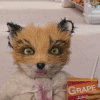
I didn't particularly like the way the eyes looked via the Zbrush renderer. So I exported the mesh over to XSI and rebuilt the eyes there.
This is merely a test render of what the eyes look like via Mental Ray instead of Zbrush.
You may note the head mesh is missing the skin texture. I removed it as I really didn't care for how that turned out either lol. Will redo it in Z shortly.
This is merely a test render of what the eyes look like via Mental Ray instead of Zbrush.
You may note the head mesh is missing the skin texture. I removed it as I really didn't care for how that turned out either lol. Will redo it in Z shortly.
Category All / All
Species Unspecified / Any
Size 1024 x 629px
File Size 279.3 kB
Pixar likely has a similar work flow, just far more talented artists behind the wheel I think :D
Timmymonsta: Here is the interesting part about that. The head mesh is symmetrical ( both sides identical ). The eyes are
as well. ( created one, then cloned and repositioned it ) In order to avoid one eye staring off center from the focal target ( which
is what happens when I try to position them manually ) both eyes are locked into directional constraints. The non-technical-babble
version being both eyes look at exactly the same position. In this case, I locked them to the camera.
No matter where I position the camera, both eyes are locked onto it 100%. It's kinda spooky while in the application as the eyes
are always staring at you no matter how the camera is moved around lol
I'm guessing it's either the size of the eyes, the width of the bridge on the nose or the angle of the camera causing the left side oddity.
( OR ( synapses are working overtime now ) since the eyes focus on the camera, the camera is too close, causing a cross-eye condition )
The on the fly update: ( lol ) The engineering part of my brain is in full spin now and is already coming up with a fix. Create a null, parent it
and offset it behind the camera some distance. The eyes will still follow the camera around, but should focus on a point much
further away resolving most of the cross-eye effect seen here. In effect, the eyes will look towards the cameras direction, but not directly at it.
Through it would probably be the better way to describe it. Will set that up tomorrow and see how it pans out.
Thanks for bringing it to my attention :D
Timmymonsta: Here is the interesting part about that. The head mesh is symmetrical ( both sides identical ). The eyes are
as well. ( created one, then cloned and repositioned it ) In order to avoid one eye staring off center from the focal target ( which
is what happens when I try to position them manually ) both eyes are locked into directional constraints. The non-technical-babble
version being both eyes look at exactly the same position. In this case, I locked them to the camera.
No matter where I position the camera, both eyes are locked onto it 100%. It's kinda spooky while in the application as the eyes
are always staring at you no matter how the camera is moved around lol
I'm guessing it's either the size of the eyes, the width of the bridge on the nose or the angle of the camera causing the left side oddity.
( OR ( synapses are working overtime now ) since the eyes focus on the camera, the camera is too close, causing a cross-eye condition )
The on the fly update: ( lol ) The engineering part of my brain is in full spin now and is already coming up with a fix. Create a null, parent it
and offset it behind the camera some distance. The eyes will still follow the camera around, but should focus on a point much
further away resolving most of the cross-eye effect seen here. In effect, the eyes will look towards the cameras direction, but not directly at it.
Through it would probably be the better way to describe it. Will set that up tomorrow and see how it pans out.
Thanks for bringing it to my attention :D

Comments