
 FA+
FA+ Shop
Shop
361
Views
Views
1
Favorites
Favorites
Category
Artwork (Digital) / Miscellaneous
Species Unspecified / Any
Size 50 x 50
File Size 145.9 kB
Report this content
More from Yukon


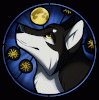
One day while browsing around DA I caught a sudden hint of inspiration (by looking at 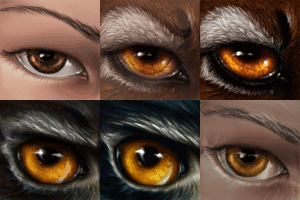 Jocarra 's avatar) to open up animation shop... so I played around for a few hours in paint shop pro 9 and animation shop 3 and extended the 3 main frames of her original avatar into a 91 frame animation.
How I did it? Basically I took the 3 original frames made by and laid them out next to each other. I used the first original frame (Jocarra) as a base and used primarily the push brush and clone brush to gradually add features from the 2nd frame (Ash - feline), copying the result at each step, resulting in 53 different frames, which I made into layers of a single image. To make the transformation smoother, I gradually adjusted the transparencies of each layer and copied out the result for each final frame (resulting in 91 frames). ie.
Frame 1:
layer 1: 100% opacity
layer 2: 60% opacity
layer 3: 20% opacity
Frame 2:
layer 1: 100% opacity
layer 2: 80% opacity
layer 3: 40% opacity
Frame 3:
layer 1: 100% opacity
layer 2: 100% opacity
layer 3: 60% opacity
layer 4: 20% opacity
etc.
In other words, it was a bit of a manual process, otherwise it wouldn't have had the same effect. I imported each frame individually to animation shop and set the frame rates, and voila!
The 3 original frames are of Jayli's three forms: Jocarra (human), Ash (feline), and Raydl (gryphon).
 Jocarra 's avatar) to open up animation shop... so I played around for a few hours in paint shop pro 9 and animation shop 3 and extended the 3 main frames of her original avatar into a 91 frame animation.
How I did it? Basically I took the 3 original frames made by and laid them out next to each other. I used the first original frame (Jocarra) as a base and used primarily the push brush and clone brush to gradually add features from the 2nd frame (Ash - feline), copying the result at each step, resulting in 53 different frames, which I made into layers of a single image. To make the transformation smoother, I gradually adjusted the transparencies of each layer and copied out the result for each final frame (resulting in 91 frames). ie.
Frame 1:
layer 1: 100% opacity
layer 2: 60% opacity
layer 3: 20% opacity
Frame 2:
layer 1: 100% opacity
layer 2: 80% opacity
layer 3: 40% opacity
Frame 3:
layer 1: 100% opacity
layer 2: 100% opacity
layer 3: 60% opacity
layer 4: 20% opacity
etc.
In other words, it was a bit of a manual process, otherwise it wouldn't have had the same effect. I imported each frame individually to animation shop and set the frame rates, and voila!
The 3 original frames are of Jayli's three forms: Jocarra (human), Ash (feline), and Raydl (gryphon).
Category Artwork (Digital) / Miscellaneous
Species Unspecified / Any
Size 50 x 50px
File Size 145.9 kB

Comments