
 FA+
FA+ Shop
Shop


402 submissions


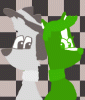
Colorized, Oct 26, 2016 The year i was in digital art class online. This guy in the picture has the same face structure as i have hehehe
This was during the month of the move and i was in a tight spot when the internet was not transferred to the new house yet. So i had to do this at starbucks.
Now the idea of this assignment is that you choose a old black and white photo and color them. simple it is, But this is where you are introduced to certain color blend features here. To which is the brush settings. such as adjusting the brush opacity lightly to make your brush have a transparent effect which is perfect for coloring images, there is also other blending options such as Dissolve, Darken, Multiply, Lighten, Linear Dodge (Add), Difference, Hue, Saturation, Color, Luminosity, Lighter Color, Darker Color, and many other blendings you can work with in photoshop and other photoshop like programs such as GIMP.
Normally this would require layers for the coloring in case you do not want to directly color the base image like i did here in the image. The mans hair was going to be blond. but i was not pleased with the coloring that turn out, like it was more yellow then blond. So i went with some what of a ginger orange color instead.
Fun assignment for what it is. it was very something i was entirely familiar with when i had fun experimenting with the brush tool in art programs.
This was during the month of the move and i was in a tight spot when the internet was not transferred to the new house yet. So i had to do this at starbucks.
Now the idea of this assignment is that you choose a old black and white photo and color them. simple it is, But this is where you are introduced to certain color blend features here. To which is the brush settings. such as adjusting the brush opacity lightly to make your brush have a transparent effect which is perfect for coloring images, there is also other blending options such as Dissolve, Darken, Multiply, Lighten, Linear Dodge (Add), Difference, Hue, Saturation, Color, Luminosity, Lighter Color, Darker Color, and many other blendings you can work with in photoshop and other photoshop like programs such as GIMP.
Normally this would require layers for the coloring in case you do not want to directly color the base image like i did here in the image. The mans hair was going to be blond. but i was not pleased with the coloring that turn out, like it was more yellow then blond. So i went with some what of a ginger orange color instead.
Fun assignment for what it is. it was very something i was entirely familiar with when i had fun experimenting with the brush tool in art programs.
Category Artwork (Digital) / Miscellaneous
Species Unspecified / Any
Size 1021 x 1280px
File Size 383.2 kB

Comments