
 FA+
FA+ Shop
Shop
327
Views
Views
3
Favorites
Favorites
Category
Artwork (Digital) / Fantasy
Species Unspecified / Any
Size 1440 x 810
File Size 499.5 kB
Report this content
More from Zexidous


Listed in Folders


I was trying to beat the midnight. I'm only a few minutes late, heh.
I just wanted to make something else for my gallery instead of the very few things I only have in there.
And yes, I am aware some of you guys are waiting on planes and such. I have not forgotten, and I am so very sorry I have taken so long.
This is a yellow ring, or the ring of fear for those of you who know about green lantern. It is the ring that I wear.
I would like to make a rather lengthy comic based around this...
I wanted to try a few things. While I was attempting to clear out my many tabs (I cleared out about 40 or 50, 495 more to go), I came across a tutorial.
While I didn't use everything in the tutorial, I did want to try my hand at making a ring. I chose this one.
This is probably my second or so time using HDR lighting. Usually when I use lighting, I use a simply sun light.
This, because of the reflections, makes it looks much more realistic. I have also tried DoF (depth of field), something I have little experience with.
Unfortunately, I used a little too much, and so you can't see the construct that I made. I'll be re-rendering and uploading a fix soon.
I tried to make a decent construct, but I wasn't sure how to make them look, so this is the result. A kind of transparent, dimly glowing object.
The tip of the constructs were supposed to be like spear tips, or maybe sword tips. But I suddenly started to model something a little more sinister (this is the yellow ring after all).
It's a kind of sharp animal head, mixed with the tip of a spear, with serrated teeth. I don't know if I'll redesign them, but I will fix the blurring so you can actually see it.
I hope you all like it. Let me know what you'd rather see, and maybe soon I can start making more personal stuff to upload again.
I just wanted to make something else for my gallery instead of the very few things I only have in there.
And yes, I am aware some of you guys are waiting on planes and such. I have not forgotten, and I am so very sorry I have taken so long.
This is a yellow ring, or the ring of fear for those of you who know about green lantern. It is the ring that I wear.
I would like to make a rather lengthy comic based around this...
I wanted to try a few things. While I was attempting to clear out my many tabs (I cleared out about 40 or 50, 495 more to go), I came across a tutorial.
While I didn't use everything in the tutorial, I did want to try my hand at making a ring. I chose this one.
This is probably my second or so time using HDR lighting. Usually when I use lighting, I use a simply sun light.
This, because of the reflections, makes it looks much more realistic. I have also tried DoF (depth of field), something I have little experience with.
Unfortunately, I used a little too much, and so you can't see the construct that I made. I'll be re-rendering and uploading a fix soon.
I tried to make a decent construct, but I wasn't sure how to make them look, so this is the result. A kind of transparent, dimly glowing object.
The tip of the constructs were supposed to be like spear tips, or maybe sword tips. But I suddenly started to model something a little more sinister (this is the yellow ring after all).
It's a kind of sharp animal head, mixed with the tip of a spear, with serrated teeth. I don't know if I'll redesign them, but I will fix the blurring so you can actually see it.
I hope you all like it. Let me know what you'd rather see, and maybe soon I can start making more personal stuff to upload again.
Category Artwork (Digital) / Fantasy
Species Unspecified / Any
Size 1440 x 810px
File Size 499.5 kB
Listed in Folders



i like the idea.
the transparency makes it look like something deadly the ring could project at its wearer's will and thought, as a weapon with a mind partially of its own.
although it doesn't need to project two of them, just the one with the head on the end of it.
one that could project around many corners and at great speed, though with perhaps some limitation as to distance.
also, being transparent, it looks like a tube, through which the wearer could feed on the blood of his victim, or some other substance.
(proto-blood maybe. i've been watching way too much lexx)
i've never successfully used one of those hdri things. i seem to be to dense to really understand them or how.
the transparency makes it look like something deadly the ring could project at its wearer's will and thought, as a weapon with a mind partially of its own.
although it doesn't need to project two of them, just the one with the head on the end of it.
one that could project around many corners and at great speed, though with perhaps some limitation as to distance.
also, being transparent, it looks like a tube, through which the wearer could feed on the blood of his victim, or some other substance.
(proto-blood maybe. i've been watching way too much lexx)
i've never successfully used one of those hdri things. i seem to be to dense to really understand them or how.
I didn't really know how to recreate the material for a construct. At least as seen in the Green Lantern Movie.
http://2.bp.blogspot.com/-uP5TZO-2u......Stage1-6a.jpg
I used part glass and part transparency, with a very small amount of light emission. Light emission, even when using a small amount, seems to take over a lot of things. But I was hoping I got the look decent enough though. I could probably edit the glass, but looking at it again, it seems closer to a dull metal.
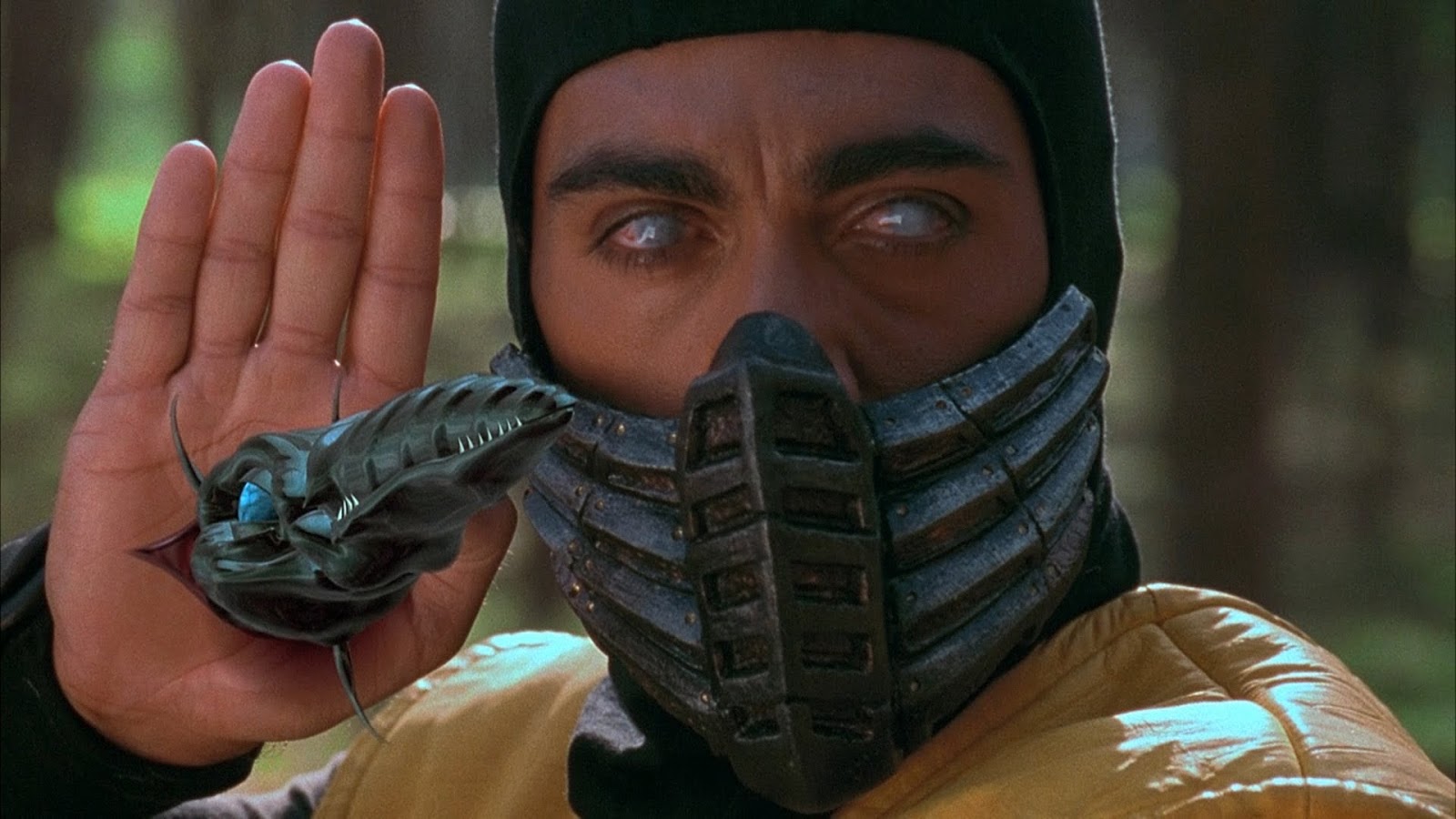
Originally, it was supposed to be a serrated spear like object. Then at random, I figured a menacing arrow head shaped bone creature with serrated teeth would look more cool and induce more fear. I guess it's similar to something like Scorpion's spear from Mortal Kombat, though I didn't add enough detail.
http://3.bp.blogspot.com/-pZ6sYGfSK.....resdefault.jpg
Oh, you're not dense *hugs", heh heh
There's a lot I don't know myself. I just kind of learn things as I go along since I couldn't learn everything at once.
HDRi (High Dynamic Range image) is just a fancy background image. Well, it surrounds the entire scene. What makes them special (and big in size) is that they are filled with information on different light information of a scene. Such as detailed dark spots, detailed light spots, etc.
Essentially, you take a panoramic image of something at different exposures and light settings, then pack them together in a special way. This produces a high range of light for a scene without the need to use static lamps that only produce one light for one area.
While not something I could use as an HDRi in a scene, I attempted to make one myself some time ago:
http://www.furaffinity.net/view/11073233/
http://2.bp.blogspot.com/-uP5TZO-2u......Stage1-6a.jpg
I used part glass and part transparency, with a very small amount of light emission. Light emission, even when using a small amount, seems to take over a lot of things. But I was hoping I got the look decent enough though. I could probably edit the glass, but looking at it again, it seems closer to a dull metal.
Originally, it was supposed to be a serrated spear like object. Then at random, I figured a menacing arrow head shaped bone creature with serrated teeth would look more cool and induce more fear. I guess it's similar to something like Scorpion's spear from Mortal Kombat, though I didn't add enough detail.
http://3.bp.blogspot.com/-pZ6sYGfSK.....resdefault.jpg
Oh, you're not dense *hugs", heh heh
There's a lot I don't know myself. I just kind of learn things as I go along since I couldn't learn everything at once.
HDRi (High Dynamic Range image) is just a fancy background image. Well, it surrounds the entire scene. What makes them special (and big in size) is that they are filled with information on different light information of a scene. Such as detailed dark spots, detailed light spots, etc.
Essentially, you take a panoramic image of something at different exposures and light settings, then pack them together in a special way. This produces a high range of light for a scene without the need to use static lamps that only produce one light for one area.
While not something I could use as an HDRi in a scene, I attempted to make one myself some time ago:
http://www.furaffinity.net/view/11073233/
still don't know how to make it the light source, unless, does calling it a light source in cycles do it? what i mean is, that's the part i'm not clear enough about to actually use, the lighting part of it. i tried using one as a skybox in regular render, but i didn't see quite how it did anything or was supposed to, other then just be a skybox image.
You meant he HDRi?
Search for some free ones. Here is a good free site: http://www.hdrlabs.com/sibl/archive.html
In Blender, make sure you are in Cycles. I'm not sure if it works with the other render modes since I only really use Cycles, heh heh.
Go to the properties window (usually the far right window) and click on the world icon. It should show a "use nodes" button and a color selector.
Click on use nodes, and on the right of the color selector will be a button with a dot on it. Click on that.
Look for the option called "Environment Texture", and a small menu will pop up to select your image. Click on open and find your HDRi image.
Once you find it, it will be applied as the world background and lighting source. You may have to change the strength of it though.
The strength defaults at one, but something like 3 or even 5 may be better.
A little trick I've learned: if you are doing internal shots, like the inside of a house, set the strength to something high like 15 or 17. You'll get a great lighting effect.
That's what I did in this image here: http://www.furaffinity.net/view/17001054/
Search for some free ones. Here is a good free site: http://www.hdrlabs.com/sibl/archive.html
In Blender, make sure you are in Cycles. I'm not sure if it works with the other render modes since I only really use Cycles, heh heh.
Go to the properties window (usually the far right window) and click on the world icon. It should show a "use nodes" button and a color selector.
Click on use nodes, and on the right of the color selector will be a button with a dot on it. Click on that.
Look for the option called "Environment Texture", and a small menu will pop up to select your image. Click on open and find your HDRi image.
Once you find it, it will be applied as the world background and lighting source. You may have to change the strength of it though.
The strength defaults at one, but something like 3 or even 5 may be better.
A little trick I've learned: if you are doing internal shots, like the inside of a house, set the strength to something high like 15 or 17. You'll get a great lighting effect.
That's what I did in this image here: http://www.furaffinity.net/view/17001054/


Comments