
 FA+
FA+ Shop
Shop
470
Views
Views
19
Favorites
Favorites
Category
All / All
Species Crow
Size 900 x 638
File Size 119.3 kB
Report this content
More from Capreolus


This one's for:
 Thomas_Blue
(Many thanks for the invaluable critique!)
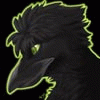
He said: "I'd like a graff-spraying crow. Head and arms are crow, meaning black, feathers, the whole deal. Body parts are otherwise white human skin. Not caucasian, white. Paint spatters can be everywhere. Bare chested is fine, but I'd like pants"
This winged fellow's name is Pantsy, not Banksy... Now that he's into this praypaint thing - no glass scyscraper is safe from his social commentary anymore.
There's also a version with camera flash reflection: http://www.furaffinity.net/view/939671/
I couldn't decide which was better... =/
More info about free commissions: http://www.furaffinity.net/journal/254086/
 Thomas_Blue
(Many thanks for the invaluable critique!)
He said: "I'd like a graff-spraying crow. Head and arms are crow, meaning black, feathers, the whole deal. Body parts are otherwise white human skin. Not caucasian, white. Paint spatters can be everywhere. Bare chested is fine, but I'd like pants"
This winged fellow's name is Pantsy, not Banksy... Now that he's into this praypaint thing - no glass scyscraper is safe from his social commentary anymore.
There's also a version with camera flash reflection: http://www.furaffinity.net/view/939671/
I couldn't decide which was better... =/
More info about free commissions: http://www.furaffinity.net/journal/254086/
Category All / All
Species Crow
Size 900 x 638px
File Size 119.3 kB

Thanks.
Sure!
(But seems you already know how to use it.)
Try everything, then use the ones you like most. :]
Try a cover+blend paper-responsive brush like oil pastels.
Then try the same with less blend - regular pastels.
Try scratchboard rake.
Try the blenders (I don't use them, but some people like to blend).
Try digital watercolors.
Try digital ink and watercolors - i hate the fact they work on different kind of layers, but they're fun to play with.
Artist's oil too.
Then (if you have an intuos) - angle-responsive kinds like pallete knife, airbrush, oil (some are responsive to tilt, can't remember which ones exactly), markers, etc.
Etc.
For short - everything.
Then try modifying them throught Ctrl+B.
Most importantly - have fun.
Don't hesistate to ask if you have any questions - I'll help if i can. :]
# copying photographs is a good way to learn about lighting.
Sure!
(But seems you already know how to use it.)
Try everything, then use the ones you like most. :]
Try a cover+blend paper-responsive brush like oil pastels.
Then try the same with less blend - regular pastels.
Try scratchboard rake.
Try the blenders (I don't use them, but some people like to blend).
Try digital watercolors.
Try digital ink and watercolors - i hate the fact they work on different kind of layers, but they're fun to play with.
Artist's oil too.
Then (if you have an intuos) - angle-responsive kinds like pallete knife, airbrush, oil (some are responsive to tilt, can't remember which ones exactly), markers, etc.
Etc.
For short - everything.
Then try modifying them throught Ctrl+B.
Most importantly - have fun.
Don't hesistate to ask if you have any questions - I'll help if i can. :]
# copying photographs is a good way to learn about lighting.



Comments