
 FA+
FA+ Shop
Shop
618
Views
Views
3
Favorites
Favorites
Category
Artwork (Digital) / General Furry Art
Species Dinosaur
Size 1280 x 1280
File Size 60.9 kB
Report this content
More from neokat



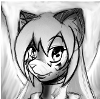
just trying to follow along with what this guy said:
http://www.youtube.com/watch?v=RHlEduMhraU&
I don't think im doing it right,
i feel like there are some things that he mentioned that i don't understand.
i couldn't get my brush to do half of what he could make it do.
this is getting intensely frustrating.
anywho,
here is my little bit of pissed off sadness turned into
and excuse of a submission.
http://www.youtube.com/watch?v=RHlEduMhraU&
I don't think im doing it right,
i feel like there are some things that he mentioned that i don't understand.
i couldn't get my brush to do half of what he could make it do.
this is getting intensely frustrating.
anywho,
here is my little bit of pissed off sadness turned into
and excuse of a submission.
Category Artwork (Digital) / General Furry Art
Species Dinosaur
Size 1280 x 1280px
File Size 60.9 kB

i never follow instructions properly, but i think thats just in my nature... i hate following others' rules, and usually go my own way.
rules are just guidelines, in the end, you're supposed to do things your own natural way.
look at artists such as "wagner"... he steps all over the concept of "anatomy", but his art is great.
rules are just guidelines, in the end, you're supposed to do things your own natural way.
look at artists such as "wagner"... he steps all over the concept of "anatomy", but his art is great.

I recommend using a much harder brush. I personally stopped using soft brushes when painting.
I put shape size off. (no pressure anything)
shape jitter to directional
I believe he turns smoothing on (and maybe noise on)
and I usually turn opacity to my pen pressure - and the shape of the brush matters. He uses this rounded square brush. The round brush works okay. Try using the hard square brush with these settings and you get some really weird (but cool) results.
He's also painting all of this one one layer. He's not using a Multiply layer for his shadows, or a Screen layer for highlights, he's just strait up blending. He's also using different hue's for shadows and lights, not just shades.
So for on this you're using whites for lights and a darker shade of purple for your shadows. He also starts out with a very dark base color as his background and then adds mid tones and then his lights. for this, I would determine what color your light source is and then paint your lights in that color. He used a yellow light source and painted his lights yellow on the green (I believe)
Here's another really helpful video http://purplekecleon.deviantart.com.....rial-184642625
I put shape size off. (no pressure anything)
shape jitter to directional
I believe he turns smoothing on (and maybe noise on)
and I usually turn opacity to my pen pressure - and the shape of the brush matters. He uses this rounded square brush. The round brush works okay. Try using the hard square brush with these settings and you get some really weird (but cool) results.
He's also painting all of this one one layer. He's not using a Multiply layer for his shadows, or a Screen layer for highlights, he's just strait up blending. He's also using different hue's for shadows and lights, not just shades.
So for on this you're using whites for lights and a darker shade of purple for your shadows. He also starts out with a very dark base color as his background and then adds mid tones and then his lights. for this, I would determine what color your light source is and then paint your lights in that color. He used a yellow light source and painted his lights yellow on the green (I believe)
Here's another really helpful video http://purplekecleon.deviantart.com.....rial-184642625

Comments