
 FA+
FA+ Shop
Shop
1537
Views
Views
54
Favorites
Favorites
Category
Artwork (Digital) / General Furry Art
Species Wolf
Size 960 x 511
File Size 245.4 kB
Report this content
★
More from neocoiote


Listed in Folders

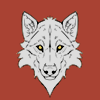
hoot! zbrush fibermesh!!
It´s amazing!
After you get the workflow, it´s very easy.
Move brush with Preserve Length 100, to move the hair and get the direction I want.
And DISPLACE brush with preserve length 100 to puff the hair from the surface.
I´m using a lot of Front collision tolerance too. What this does is set how close in pixels you want the hair to touch the surface.
All this setting are in brush settings.
Making the tail, then the face, arms, neck separated helps too.
I need to find a really good shader now. this is the hard part.
It´s amazing!
After you get the workflow, it´s very easy.
Move brush with Preserve Length 100, to move the hair and get the direction I want.
And DISPLACE brush with preserve length 100 to puff the hair from the surface.
I´m using a lot of Front collision tolerance too. What this does is set how close in pixels you want the hair to touch the surface.
All this setting are in brush settings.
Making the tail, then the face, arms, neck separated helps too.
I need to find a really good shader now. this is the hard part.
Category Artwork (Digital) / General Furry Art
Species Wolf
Size 960 x 511px
File Size 245.4 kB
Listed in Folders







Not much secret.
It don't change poses very well, also a lot of groom brushes are hidden in a Groom folder of zbrush, Render need to be high quality to look nice too. Also Clumps work per poly size, if you want big clumps , make sure you are adding to a low poly geo (with big polys) , for tiny clumps just subdivide
It don't change poses very well, also a lot of groom brushes are hidden in a Groom folder of zbrush, Render need to be high quality to look nice too. Also Clumps work per poly size, if you want big clumps , make sure you are adding to a low poly geo (with big polys) , for tiny clumps just subdivide

Comments