
 FA+
FA+ Shop
Shop
214
Views
Views
6
Favorites
Favorites
Category
All / All
Species Unspecified / Any
Size 406 x 376
File Size 28.9 kB
Report this content
More from StickersTehHusky


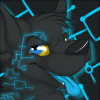
*cue Doctor Weird voice*
Behold!
I HAVE DIGITAL ARTED!
And it's not very good, even by my standards.
But still, it's a start. xD
Sumopaint= best program, BECAUSE I SAY SO
And no, I didn't make the cutie mark in sumopaint. My head would explode if I tried. xD
Behold!
I HAVE DIGITAL ARTED!
And it's not very good, even by my standards.
But still, it's a start. xD
Sumopaint= best program, BECAUSE I SAY SO
And no, I didn't make the cutie mark in sumopaint. My head would explode if I tried. xD
Category All / All
Species Unspecified / Any
Size 406 x 376px
File Size 28.9 kB

okay so when you open sumopaint and draw a picture and want to make a glowy effect
there is this little tool called a brush tool (it should automatically be highlighted blue on start up) click it, go to the top of the screen where it has opacity, flow, diameter, etc.etc. there is a white box labeled Brush, click the arrow next to it, a drop down box thing should open up, find the tool that says Air Brush 1 (the one is important, it creates the best glow effect *in my opinion*), then go to the white box with the word Opacity next to it, click the drop down arrow and choose however much you want the airbrush to be visible, 80% usually works the best for glowing things
to get the best effect use layers. for practice create 2 layers, on layer 1 draw whatever you want and on the background use the air brush tool, that way you won't cover the lines (unlike me who is a lazy fuck and can't be bothered to do all the work xDD)
if you want I can post a screenshot on DA and link it to show you, that may be easier xD I suck at explaining things ;A;
there is this little tool called a brush tool (it should automatically be highlighted blue on start up) click it, go to the top of the screen where it has opacity, flow, diameter, etc.etc. there is a white box labeled Brush, click the arrow next to it, a drop down box thing should open up, find the tool that says Air Brush 1 (the one is important, it creates the best glow effect *in my opinion*), then go to the white box with the word Opacity next to it, click the drop down arrow and choose however much you want the airbrush to be visible, 80% usually works the best for glowing things
to get the best effect use layers. for practice create 2 layers, on layer 1 draw whatever you want and on the background use the air brush tool, that way you won't cover the lines (unlike me who is a lazy fuck and can't be bothered to do all the work xDD)
if you want I can post a screenshot on DA and link it to show you, that may be easier xD I suck at explaining things ;A;

Comments