
 FA+
FA+ Shop
Shop
790
Views
Views
67
Favorites
Favorites
Category
Artwork (Digital) / Inflation
Species Western Dragon
Size 900 x 859
File Size 74.3 kB
Report this content
More from Blue


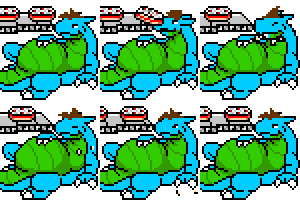
Random quickie for a silly icon
Category Artwork (Digital) / Inflation
Species Western Dragon
Size 900 x 859px
File Size 74.3 kB









Best to be safe than blind - I've found if you avoid colours too close to RGB values, and desaturate them anyway, they look good on all monitors. I know that I looked at my stuff I did on my (really badly calibrated) laptop on a proper screen and it looked absolutely terrible!
The colours in your avatar are perfect, I'd think. A nice purple-tinged blue and yellow-tinged green. The closer you get to absolute colours (r, b, or b), the more flat and unconvincing they're gonna look. Again, lighter colours are less saturated and darker colours are generally more saturated, but don't go overboard with the saturation, even if 80% of people aren't looking at the picture properly (and especially with large areas to colour!). You don't want to compensate for them. If you do, you breed bad habits that'll come and bite you in the butt when you want to do proper work, for like, printing and stuff. Don't do it!
The colours in your avatar are perfect, I'd think. A nice purple-tinged blue and yellow-tinged green. The closer you get to absolute colours (r, b, or b), the more flat and unconvincing they're gonna look. Again, lighter colours are less saturated and darker colours are generally more saturated, but don't go overboard with the saturation, even if 80% of people aren't looking at the picture properly (and especially with large areas to colour!). You don't want to compensate for them. If you do, you breed bad habits that'll come and bite you in the butt when you want to do proper work, for like, printing and stuff. Don't do it!
I've been trying that, with the hue and such. I think I need to push myself to make those hues go further to purple and yellows, despite them initially looking off to me.
Though I think the rest would be easier addressed if I could calibrate this laptop screen. Do you know of any tool that does so?
Though I think the rest would be easier addressed if I could calibrate this laptop screen. Do you know of any tool that does so?









Comments