
 FA+
FA+ Shop
Shop
9741
Views
Views
473
Favorites
Favorites
Category
Other / Miscellaneous
Species Unspecified / Any
Size 1000 x 825
File Size 376.6 kB
Report this content
★
More from SqueedgeMonster
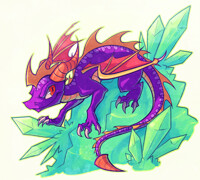
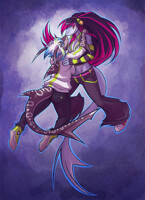
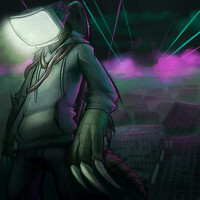

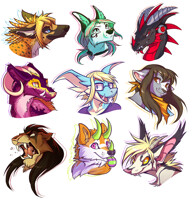
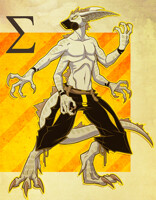


I get folks asking what my settings for inking in SAI are pretty often, so I thought I should take a handy dandy screenshot instead of trying to explain it over and over.
So yes, these are my settings. I tend to ink with a 20pt brush for the most part, but I like using a 9pt for smaller details.
Also, I'd like to point out that the drawing is zoomed in 100%, so the lines tend to look a bit pixely. I always draw HUGE so when I downsize the file, the lines end up smooth, clean, and crisp.
Feel free to ask any questions if you'd like further explanation :3
So yes, these are my settings. I tend to ink with a 20pt brush for the most part, but I like using a 9pt for smaller details.
Also, I'd like to point out that the drawing is zoomed in 100%, so the lines tend to look a bit pixely. I always draw HUGE so when I downsize the file, the lines end up smooth, clean, and crisp.
Feel free to ask any questions if you'd like further explanation :3
Category Other / Miscellaneous
Species Unspecified / Any
Size 1000 x 825px
File Size 376.6 kB








amazing lines you have =3 tho I have to ask, it's it a bit of a pain to have to switch back and forth between the sizes? I thought with tablets people controlled the size via pressure? sorry if that seems like a dumb question. I ink with the pen tool in ps, so I have no idea how it works by hand
Ah, well it's true I control the exact thickness of the brush with pen pressure --which is the reason I use a 20pt brush for most things-- but I find using a smaller brush for details yields a softer looking result in SAI. Oh, and I'm kind of heavy-handed, so I like to push down more than I actually need to, so using a smaller brush is just easier for detail anyway.
But no, it's not much of a pain, especially since I can use keyboard shortcuts to decrease/increase pen size :3
But no, it's not much of a pain, especially since I can use keyboard shortcuts to decrease/increase pen size :3








Hmmm... it honestly depends on how horribly anal retentive I want to be, hahah. I think the MINIMUM is probably two hours? Maybe 1.5 if it's something I'm really comfortable with, or if I have a really solid sketch. But, if I'm feeling like a super perfectionist that day, it can take well up to 5 hours.
I am not a fast artist, to say the least ;w;'
I am not a fast artist, to say the least ;w;'

Me neither, and then I end up feeling like a loser because people will post amazing stuff and be like "THIS WAS A HALF HOUR DOODLE, MAN IT SUCKS GOSH" and it's like.. way to rub it in! Hah.
That makes me feel a bit better. Inking is the most tedious part for me and will usually take me a very long time. If I had the money, I'd probably just hire an inker to do that part for me, I hate it that bad.
That makes me feel a bit better. Inking is the most tedious part for me and will usually take me a very long time. If I had the money, I'd probably just hire an inker to do that part for me, I hate it that bad.




Is it possible to use these general settings without a tablet and still get the same effect? I would imagine that it would take more time and care with just a mouse to clean up all of the edges, but I think it could be done.
Also, you have removed all doubt that I should make things on bigger scales. I always thought it would make it looks pixelly as it contracted the image, but it seems not to do so.
Also, you have removed all doubt that I should make things on bigger scales. I always thought it would make it looks pixelly as it contracted the image, but it seems not to do so.



Wow, thanks for sharing! I've always loved the way you lineart, plenty of style to it as well.
I've got one question though, by HUGE canvas size, how big is it? 4000+ px? And like..what size do you usually size it down to? Coz.. 9 pt and 20 pt is quite big indeed.
I've got one question though, by HUGE canvas size, how big is it? 4000+ px? And like..what size do you usually size it down to? Coz.. 9 pt and 20 pt is quite big indeed.



Thank you SO much for placing this up. <3 My hero. But, I have a question. Are there any other settings you're using that aren't shown? I have SAI pulled up now, and I changed my pen tool settings to the same as you have shown. Still, my lines aren't tapering like yours did. I just wondering, are you using a setting not shown, or a special tablet, or...? owo;; *puzzled*







Hi! This isn't a software question, but how do you decide how thin/thick lines should be in different parts of your image?
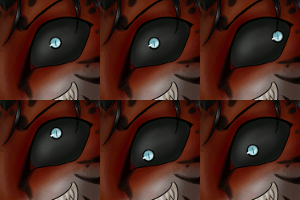
From what I can observe, the 'outer' lines are thicker and lines for inner details (like in the eye) are thinner, and you make them extra thick in some 'shadowed' areas (like under the chin), though this doesn't seem to follow a consistent light source. I also noticed in some of your images, parts of the object closer to the viewer are inked more thickly.
I was just wondering if you have any comments on your thought process of how you decide these things. :D I love your line art so much!!
From what I can observe, the 'outer' lines are thicker and lines for inner details (like in the eye) are thinner, and you make them extra thick in some 'shadowed' areas (like under the chin), though this doesn't seem to follow a consistent light source. I also noticed in some of your images, parts of the object closer to the viewer are inked more thickly.
I was just wondering if you have any comments on your thought process of how you decide these things. :D I love your line art so much!!

Oh my, lol I was trying out the settings just now. I really like them.
Its really hard to get use to but it feels nice. Also the program is a lot better than sketchbook express, which is what I use.
Thanks for the Tut it really helped.
Also If you can, tell Renard i said "Yo". You both have some really awesome talent.
-Cheers
Its really hard to get use to but it feels nice. Also the program is a lot better than sketchbook express, which is what I use.
Thanks for the Tut it really helped.
Also If you can, tell Renard i said "Yo". You both have some really awesome talent.
-Cheers








Comments