
 FA+
FA+ Shop
Shop
316
Views
Views
8
Favorites
Favorites
Category
Artwork (Digital) / General Furry Art
Species Wolf
Size 284 x 447
File Size 60.7 kB
Report this content
More from JacetheArcticWolf


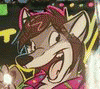
I just wanted to do a quickie for FA. I didn't use any construction lines this time, and the outcome happened to be really good. I didn't even use as many layers as I usually do, and I feel like it came out just as good as any of my other art work. Maybe I should change my tactics. Tassy, Mochi, Santi, you all have seen my dA stuff which has all used con lines. Do you have any words of wisdom?
Alright, enough with the art stuff. ^_^ I look sexy... This is the first really provocative pic I've ever done. I wish I was this hot.
Alright, enough with the art stuff. ^_^ I look sexy... This is the first really provocative pic I've ever done. I wish I was this hot.
Category Artwork (Digital) / General Furry Art
Species Wolf
Size 284 x 447px
File Size 60.7 kB


Very cute, you are definately coming along in your style ^_^
Don't worry too much about sticking to a specific tactic, play around and find what feels comfortable to you.
Personally I don't bother with any construction lines either... But I use mass amounts of layers! I mean really... Every single colour you see in my pictures, has its own layer (so a typical drawing will having anywhere from 10 - 30 layers!)
Also if I draw a picture just on the computer, I usually end up with two lineart layers, one for a rough sketch, and a second for the final drawing overtop.
Don't worry too much about sticking to a specific tactic, play around and find what feels comfortable to you.
Personally I don't bother with any construction lines either... But I use mass amounts of layers! I mean really... Every single colour you see in my pictures, has its own layer (so a typical drawing will having anywhere from 10 - 30 layers!)
Also if I draw a picture just on the computer, I usually end up with two lineart layers, one for a rough sketch, and a second for the final drawing overtop.

sexeh Owo
LOL
ok WISDOM OVERLOAD *evillaugh*
mmm.... I think the lines are too thick. I've seen your DA, of course. Maybe you should try to use PS's Pen Tool, which makes the line vary its size, givin a great anime-like effect.
If the pen tool seems too hard (it is hard as hell, believe me, and also kinda boring to use it) you can make the same effect with a pen. Then after scanning it, you make the lineart layer a Multiply layer in PS and make different lakers for the coloring
any of those should do the trick!
LOL
ok WISDOM OVERLOAD *evillaugh*
mmm.... I think the lines are too thick. I've seen your DA, of course. Maybe you should try to use PS's Pen Tool, which makes the line vary its size, givin a great anime-like effect.
If the pen tool seems too hard (it is hard as hell, believe me, and also kinda boring to use it) you can make the same effect with a pen. Then after scanning it, you make the lineart layer a Multiply layer in PS and make different lakers for the coloring
any of those should do the trick!
i know, but you dont know to use it! Look. Do this. After you have the path, trace, or whatever the heck its called in your evil english PS, then:
use a #3 brush to fill the lines, and check "simulate preassure" lol sorry for the crappy translation.
then, do the same, but with a #2 brush
finally,do it with a #1 brush, but unchecking "simulate presion" or whatever lawl
that makes the line vary in size. Its an awesome effect. Try it! thats what I do for my lineart ;)
use a #3 brush to fill the lines, and check "simulate preassure" lol sorry for the crappy translation.
then, do the same, but with a #2 brush
finally,do it with a #1 brush, but unchecking "simulate presion" or whatever lawl
that makes the line vary in size. Its an awesome effect. Try it! thats what I do for my lineart ;)


Comments