
 FA+
FA+ Shop
Shop
294
Views
Views
1
Favorites
Favorites
Category
Artwork (Digital) / General Furry Art
Species Unspecified / Any
Size 353 x 479
File Size 150.3 kB
Report this content
More from Dragonkick


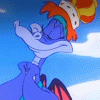
Thanks a bunch to  baxterottoman for talking me through a big chunk of this and suggesting improvements. I've been working through the Animators Survival Kit which is a FANTASTIC book for anyone wanting to do animating of any time. Even if not it's an incredibly interesting book.
I'm fully aware that the head isn't moving yet since I'm looking for critiqes on this before I put in more lifelike movements like head/hair/eye movement, plus i'll be adding her tail in too. For my first attempt at arms I think I did okay and I think I definatley got the 'Powerwalk' look I was going for that I think really fits Flair, being the fitness enthusiast she is (but since I fatten her up so much you wouldn't know, heh).
As for the head and hair, I'm thinking of making it so the head bobs when her foot lands to show impact, then have her quickly blink at that point too and have her hair bounce. Any suggestions on better ways to animate her head would be appreciated.
I'll add the head movements next then take a shot at her tail too tomorrow when I'm more refreshed
EDIT: hm, there seems to be a bit of a jump at her lower back, I'll fix that tomorrow
 baxterottoman for talking me through a big chunk of this and suggesting improvements. I've been working through the Animators Survival Kit which is a FANTASTIC book for anyone wanting to do animating of any time. Even if not it's an incredibly interesting book.
I'm fully aware that the head isn't moving yet since I'm looking for critiqes on this before I put in more lifelike movements like head/hair/eye movement, plus i'll be adding her tail in too. For my first attempt at arms I think I did okay and I think I definatley got the 'Powerwalk' look I was going for that I think really fits Flair, being the fitness enthusiast she is (but since I fatten her up so much you wouldn't know, heh).
As for the head and hair, I'm thinking of making it so the head bobs when her foot lands to show impact, then have her quickly blink at that point too and have her hair bounce. Any suggestions on better ways to animate her head would be appreciated.
I'll add the head movements next then take a shot at her tail too tomorrow when I'm more refreshed
EDIT: hm, there seems to be a bit of a jump at her lower back, I'll fix that tomorrow
Category Artwork (Digital) / General Furry Art
Species Unspecified / Any
Size 353 x 479px
File Size 150.3 kB

I'll just try and lay out the steps I've used for this and will probably keep doing. I'm thinking I'm starting to see what Bax means with the bobbing so I'll probably change things up. I've been using the Animators Survival Kit for reference and guides.
1 - Draw the first contact position in opencanvas, draw the next contact, then copy the first frame/contact position and lay them along a surface so I have 3 frames of animation 'walking' along horizontally. I then dim them all to 15% opacity.
2 - Create a new layer inbetween the two contacts as an up or down (but thinking about it I'm probably doing this in the wrong order) then draw that frame in. When I'm done with a frame I'll dim it to 15% opacity
3 - Do the same for inbetween the next contact and last frame
4 - Create some new frames to make it smoother
5 - I'll have a 'ghost' of the character walking across a horizontal plane, so I'll set all the layers to 100% opactiy and then stack them all on top of the first frame to make it a stationary looping animation
6 - I'll hide all the layers apart from the first, save that as a jpeg, hide that layer, show the next, save that as the next frame and so on and so on until I have a jpeg of each frame
7 - I'll open them up in 'Gif Movie Gear' (trial atm) and preview it, then change the speed, edit the jpegs and evcentually save it as a gif.
Note this will probably be just for the legs, I'll edit the arms and such into each jpeg later and make a new animation/gif file.
I'm new to this so I'm still goofing up a lot and changing how I do this, but that is the standard way I've been doing things so far
1 - Draw the first contact position in opencanvas, draw the next contact, then copy the first frame/contact position and lay them along a surface so I have 3 frames of animation 'walking' along horizontally. I then dim them all to 15% opacity.
2 - Create a new layer inbetween the two contacts as an up or down (but thinking about it I'm probably doing this in the wrong order) then draw that frame in. When I'm done with a frame I'll dim it to 15% opacity
3 - Do the same for inbetween the next contact and last frame
4 - Create some new frames to make it smoother
5 - I'll have a 'ghost' of the character walking across a horizontal plane, so I'll set all the layers to 100% opactiy and then stack them all on top of the first frame to make it a stationary looping animation
6 - I'll hide all the layers apart from the first, save that as a jpeg, hide that layer, show the next, save that as the next frame and so on and so on until I have a jpeg of each frame
7 - I'll open them up in 'Gif Movie Gear' (trial atm) and preview it, then change the speed, edit the jpegs and evcentually save it as a gif.
Note this will probably be just for the legs, I'll edit the arms and such into each jpeg later and make a new animation/gif file.
I'm new to this so I'm still goofing up a lot and changing how I do this, but that is the standard way I've been doing things so far

Comments