
 FA+
FA+ Shop
Shop
1847
Views
Views
254
Favorites
Favorites
Category
Artwork (Digital) / General Furry Art
Species Leopard
Size 660 x 990
File Size 577.1 kB
Report this content
More from Holydust


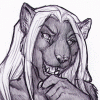
portrait commission for  sorenarhapsody. never done silks before! had a bit of fun with costume design. threw in some gold and gems in there for fun.
 sorenarhapsody. never done silks before! had a bit of fun with costume design. threw in some gold and gems in there for fun.
Category Artwork (Digital) / General Furry Art
Species Leopard
Size 660 x 990px
File Size 577.1 kB


It's super easy to achieve, actually!
1. fill a layer with sparkles from any spackled brush, hand paint them, or whatever you like.
2. lock the transparency on that layer.
3. go to the channels tab in photoshop, choose the Red channel, use Filter -> Clouds
4. do the same for the Blue and Green channels
5. Go back to RGB channel
6. your speckled layer is now rainbow-y. Set it to Overlay or whatever blending mode looks nicest.
1. fill a layer with sparkles from any spackled brush, hand paint them, or whatever you like.
2. lock the transparency on that layer.
3. go to the channels tab in photoshop, choose the Red channel, use Filter -> Clouds
4. do the same for the Blue and Green channels
5. Go back to RGB channel
6. your speckled layer is now rainbow-y. Set it to Overlay or whatever blending mode looks nicest.



Comments