
 FA+
FA+ Shop
Shop
2012
Views
Views
17
Favorites
Favorites
Category
Artwork (Digital) / Transformation
Species Wolf
Size 1200 x 542
File Size 658.9 kB
Report this content
★
More from MoonBeast-AR


Listed in Folders

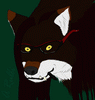
Dark Conscience Domineered Part 4
Previous -> http://www.furaffinity.net/view/4810724/
This one took for-freaking-ever!!! X_X My doppelganger was the most challenging to colour because of them stupid white and gray blotches and blocks that pop up everywhere >_<
Anyways, I like how everything turned out ^_^ Except for the last image though cause I kinda rushed on it and drew it free-handed on the computer XD
Next -> (Stay tuned)
This one took for-freaking-ever!!! X_X My doppelganger was the most challenging to colour because of them stupid white and gray blotches and blocks that pop up everywhere >_<
Anyways, I like how everything turned out ^_^ Except for the last image though cause I kinda rushed on it and drew it free-handed on the computer XD
Next -> (Stay tuned)
Category Artwork (Digital) / Transformation
Species Wolf
Size 1200 x 542px
File Size 658.9 kB
Listed in Folders

I WAS planning on making the ENTIRE story to let people know more about the characters and stuff, but I didn't wanna take the time to do that :/ So instead, I'm just doing the transformation scenes cause apparently, that's what a lot of people like from me ^^;
I put it as a mature content due to the blood, that's why ^^;
But how Part 3 goes, doppelganger fully transforms into her wolfen form and says, "Ung! That felt good!" She then starts walking towards me.
Talons start bursting out of my fingernails and I say (while blood trickles down my chin) "Get the hell away from me...It ends with doppelganger saying, "Pain is so wonderful...Isn't it?..."
But how Part 3 goes, doppelganger fully transforms into her wolfen form and says, "Ung! That felt good!" She then starts walking towards me.
Talons start bursting out of my fingernails and I say (while blood trickles down my chin) "Get the hell away from me...It ends with doppelganger saying, "Pain is so wonderful...Isn't it?..."

As I commented on one these comic of yours at DA (Alfluna is my account there) I feel the color is not up to the line work. I mean you draw very good, nice poses, really great concept of anatomy and the process of change, thumbs up on that. But if I really would like to know the process you use for the color, are you inking it in the computer after hand-drawing work? do you use any tablet or just mouse? what software do you use?
Anyway, keep it up.
Anyway, keep it up.
OMG! I'm a big fan of you I love your Alfa Luna comic series :3 And thanks (for liking my drawings I mean, and thw watch :3)...And I know, I'm horrible at colouring X_X I've always been a black and white or lineart-type person, but everybody on my Deviantart account wanted me to colour everything ^^;
Anyways how I colour my work, I use Photofiltre, and after tracing over my scanned images, all I do is use the paintbucket tool (or fill tool it's called) and then colour in the white and gray spots that ruin it. And how I do the shadow effects, I go on GIMP, and then go to filter, artistic, and choose cartoon effects.
Anyways how I colour my work, I use Photofiltre, and after tracing over my scanned images, all I do is use the paintbucket tool (or fill tool it's called) and then colour in the white and gray spots that ruin it. And how I do the shadow effects, I go on GIMP, and then go to filter, artistic, and choose cartoon effects.
Thanks for liking my art :)
Now my two cents for helping you out with yours. First, if you have gimp why are you using such a basic program as photofiltre to color it? My first advice is that you don't use it anymore. Gimp isn't a "pro" software, but at least have layers.
Bu first, are you tracing over your hand drawing work (graphite-pen I suppose)? Maybe you shouldn't. A lot of artist just color over it. If you don't like the gray line of the graphite then ink the lines before scanning with pigment-ink drawing pens. Believe me, it will look much better.
Second, Open your drawing on gimp and then add a new layer, then setup this layer in "multiply mode", this way when you color on this new layer you don't have to worry to erase the original lines because that won't happen. The multiply mode won't allow you to color gray/black areas from the background image so you can even use the brush all over it and they won't be erased.
If you don't know anything about layers, just type "layers gimp" on youtube for a lot of tutorials.
And finally, if you don't have a digital table, try getting even a cheap one, it will ease the pain of coloring with the mouse alone. Take care.
Now my two cents for helping you out with yours. First, if you have gimp why are you using such a basic program as photofiltre to color it? My first advice is that you don't use it anymore. Gimp isn't a "pro" software, but at least have layers.
Bu first, are you tracing over your hand drawing work (graphite-pen I suppose)? Maybe you shouldn't. A lot of artist just color over it. If you don't like the gray line of the graphite then ink the lines before scanning with pigment-ink drawing pens. Believe me, it will look much better.
Second, Open your drawing on gimp and then add a new layer, then setup this layer in "multiply mode", this way when you color on this new layer you don't have to worry to erase the original lines because that won't happen. The multiply mode won't allow you to color gray/black areas from the background image so you can even use the brush all over it and they won't be erased.
If you don't know anything about layers, just type "layers gimp" on youtube for a lot of tutorials.
And finally, if you don't have a digital table, try getting even a cheap one, it will ease the pain of coloring with the mouse alone. Take care.
Thanks a lot for the info And yes, I do trace over my scanned images ^^; And then I go to Adjust and then Duotone (on Photofiltre) so that it's all black and white and nice and clean ^_^ But when I colour them with the fill tool, the white and gray spots are still there sometimes. And the I use a square-shaped brush.


Comments