
 FA+
FA+ Shop
Shop
245
Views
Views
3
Favorites
Favorites
Category
Artwork (Digital) / General Furry Art
Species Feline (Other)
Size 994 x 807
File Size 196.1 kB
Report this content
More from ShadowCheetah


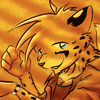
I like the personalities of the two brothers.
Category Artwork (Digital) / General Furry Art
Species Feline (Other)
Size 994 x 807px
File Size 196.1 kB

Thank you! Heh, it probably didn't take as much time as it sounds like. For some reason, the stuff that turns out good usually doesn't take that long (or maybe the time just passes by faster, I dunno!). What's a bit annoying is when I do spend forever and end up with a big stick figure :P
Thanks again, though! I'm hoping I can do more of this thing in the future!
Thanks again, though! I'm hoping I can do more of this thing in the future!

Thanks (again)!
It was done digitally. I don't even have a set of crayons :).
The technique is actually just a way to get a scanned image into a nice looking border that's easy to colour onto. Which is great because digitally inking stuff was the most tedious part for me before (trying to trace over an entire drawing with a mouse and individually tapering each of the lines is a pain). I'm all excited now since it'll be easier to try out new stuff in the future :P
It was done digitally. I don't even have a set of crayons :).
The technique is actually just a way to get a scanned image into a nice looking border that's easy to colour onto. Which is great because digitally inking stuff was the most tedious part for me before (trying to trace over an entire drawing with a mouse and individually tapering each of the lines is a pain). I'm all excited now since it'll be easier to try out new stuff in the future :P
Hehe. Sorry about this, you remind me a little of my boss. He puts "quotes" around everything, and I always tease him by "writing" my e-mails "to" him like "this" where random "stuff" has all "these" quotes around "them." :P
Hehe, thanks again, though! The whole trick with the one I just learned is kinda nice and easy. You just take the original sketch, duplicate it to a new layer, then copy the entire thing and make a new channel where you paste the entire image. Then, you can go to a new layer, Load Selection... and choose the alpha layer you made, then just fill the selection with black. It kinda looks weird that way, though, so it looks a whole lot better if you duplicate the layer you just filled, then Gaussian blur it (3.0 or so) and switch it to Hard Light mode. And... I have no idea if any of that made sense, or anyone even cared, but anyway... *wanders off confusedly* ;)
Hehe, thanks again, though! The whole trick with the one I just learned is kinda nice and easy. You just take the original sketch, duplicate it to a new layer, then copy the entire thing and make a new channel where you paste the entire image. Then, you can go to a new layer, Load Selection... and choose the alpha layer you made, then just fill the selection with black. It kinda looks weird that way, though, so it looks a whole lot better if you duplicate the layer you just filled, then Gaussian blur it (3.0 or so) and switch it to Hard Light mode. And... I have no idea if any of that made sense, or anyone even cared, but anyway... *wanders off confusedly* ;)

Comments