
 FA+
FA+ Shop
Shop
219
Views
Views
5
Favorites
Favorites
Category
Artwork (Digital) / General Furry Art
Species Dog (Other)
Size 512 x 384
File Size 175.2 kB
Report this content
More from Kuraggo


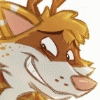
Did this on the DS, I'd like to leave a link to the Colors gallery so you can see how I did it but since it was done in the beta these drawings aren't showing up. :<
But damn when you work on a single layer you really begin to miss the ease of working on multiple layers. xP
Railey © Me.
But damn when you work on a single layer you really begin to miss the ease of working on multiple layers. xP
Railey © Me.
Category Artwork (Digital) / General Furry Art
Species Dog (Other)
Size 512 x 384px
File Size 175.2 kB

*gasp* No hat?! :O
That came out really nicely though. Everything looks nice an' clean. What'd you use on the DS to do this and get it on your computer? Is it something available on the newer models? I'm so out of the loop when it comes to the DS. I'm still using one of the original versions. XD
That came out really nicely though. Everything looks nice an' clean. What'd you use on the DS to do this and get it on your computer? Is it something available on the newer models? I'm so out of the loop when it comes to the DS. I'm still using one of the original versions. XD
I used a nifty little program called Colors, it's not "official" so to use it you need a flashcart for your DS, using a flashcart enables you to use all sort of apps, for example you can listen to music and even watch videos on your DS. You put a microSD card in the flashcart and that's where you store stuff, so you just put it in your pc and you can extract the images you've done, or you can upload it to the Colors website directly form your DS so people can see how you painted your drawings. In case you want to check it out: http://colors.collectingsmiles.com/

Comments