
 FA+
FA+ Shop
Shop
322
Views
Views
10
Favorites
Favorites
Category
All / All
Species Unspecified / Any
Size 3200 x 3200
File Size 1.72 MB
Report this content
More from Imaginative_Pinniped


Listed in Folders

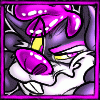
It's almost 2022 and I STILL CAN'T MAKE MY AVATAR COMPLETELY TRANSPAENT!? FA WHY!? WHY FA!?
Anyway take this Ed Edd Eddy Reference. I thought it'd be a good idea for an Icon... Until FA decided to just not make it work the way I wanted to. Ugh.
Anyway take this Ed Edd Eddy Reference. I thought it'd be a good idea for an Icon... Until FA decided to just not make it work the way I wanted to. Ugh.
Category All / All
Species Unspecified / Any
Size 3200 x 3200px
File Size 1.72 MB
Listed in Folders


Ey! Nice job on the art, it looks great!
As for the transparent avatar, try using a converter of some kind to convert the PNG to a single frame GIF! The avatar system only supports GIF files, so JPEGs and PNGs uploaded to it are converted to GIFs, albeit with non-transparent backgrounds. However, uploading a file with the GIF format makes it transparent!
(There are many converters out there. but for my avatar I used this one https://cloudconvert.com/png-to-gif . You don't need to use this one, but I recommend it)
As for the transparent avatar, try using a converter of some kind to convert the PNG to a single frame GIF! The avatar system only supports GIF files, so JPEGs and PNGs uploaded to it are converted to GIFs, albeit with non-transparent backgrounds. However, uploading a file with the GIF format makes it transparent!
(There are many converters out there. but for my avatar I used this one https://cloudconvert.com/png-to-gif . You don't need to use this one, but I recommend it)
You're a saint. You're a literal saint, oh my goodness. I've tried so many different converters but when I turned them into a gif it'd make the image all grainy or add dots everywhere around the image. The fact you saw this post, and commented as well a solution to my silly problem means a whole lot to me and I'd just like to say thank you for taking the time to aid me with my struggle.

Comments