
 FA+
FA+ Shop
Shop
234
Views
Views
3
Favorites
Favorites
Category
All / General Furry Art
Species Lion
Size 480 x 640
File Size 116 kB
Report this content
More from South_Syde_Dobie


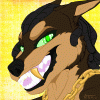
Alright I gotta hand it to Animus for coaching me through Photoshop but he really made that doodle I drew look pretty cool with the shading and color...maybe after doing a bunch of colored works I should get the hang of it though I still gotta finish learning to sketch and stuff correctly as well.
Anyways I should start coloring the other things I've done so far so I can get in alot of practice and also peeps that are watching me, I might try to send you a surprise, you know who you are, it's not the greatest art but I appreciate the watchers I somehow gotten so far xD
Art is mine
The dude that somehow coached a newbie through it all AnimusDobie
Anyways I should start coloring the other things I've done so far so I can get in alot of practice and also peeps that are watching me, I might try to send you a surprise, you know who you are, it's not the greatest art but I appreciate the watchers I somehow gotten so far xD
Art is mine
The dude that somehow coached a newbie through it all
 AnimusDobie
Category All / General Furry Art
Species Lion
Size 480 x 640px
File Size 116 kB

We did great work. and actually im actually seeing how this thing looks in perfect quality. u did wonderful on your part of the inking and coloring. Not once did you get frustrated with me. As long as you keep that drive to learn and continue drawing you will get better. remember art isn't all about the quick way to success. if u take ur time and get everything down. you'll be set for life. welcome to the art world, Trey.







HELL NAW!!!
I guess I'm getting better but honestly I use guides and refs alot for my art, I can't
wait till I'm good enough to freehand it without much help though the coloring my friend helped
me out quite a bit with it but it did show me the basics and I got a pic I did all by myself that
I'm uploading in a few, thanks for the comment brotha
I guess I'm getting better but honestly I use guides and refs alot for my art, I can't
wait till I'm good enough to freehand it without much help though the coloring my friend helped
me out quite a bit with it but it did show me the basics and I got a pic I did all by myself that
I'm uploading in a few, thanks for the comment brotha


Mr. Dobie, do you use a mouse or a tablet?
A tablet will be key in serious art progression through digital works but I may suggest about 2 years of practice on paper. One thing that you learn from working with pencil and paper is proper finger, wrist and arm technique when drawing lines. Often people who are new to art will try to draw the line they want in one stroke but that leads to an uneven shaky line.
What you'll want to do is lightly sketch out the line slowly by quickly going back and forth over the line in small, light but progressive strokes. Also, look at artwork you admire from other artists and fuse that style and method into your brain by trying to draw it yourself. Look at how someone draws eyes, or faces, or arms or tails or fur and try to do it from memory. The only thing that stands between you and your favorite artist is knowledge on how to create what you're seeing. Don't think its just because they are better than you.
In photoshop, you'll want to learn blending techniques. Now you'll want to take any brush really, soft brush, hard edge brush and go into the brush settings. Its at the top on the right and it will be a little tab. Click that and turn off shape dynamics and then turn on other dynamics. In other dynamics set both settings to pen pressure and 0%. Now you have a brush that is responsive to pressure which will either apply a lighter or a darker amount of color depending on how hard you draw. This is only beneficial with a tablet so if you are coloring with a mouse, adjust your brushes opacity with the opacity slider at the top in the middle. You may want to use a soft edge brush for this as you wont be able to control your pressure.
Now its key you have your hand on CTRL + ALT + Z at all times. Pressing all 3 will undo a mistake. Pressing CTRL + Z will re-do the last action you took. Holding ALT will bring out your eye dropper which is the most important for blending. You will need to paint, sample, blend a lot to pull colors together. Paint a line of one color, press ALT and sample another color, then paint that color in. Keep doing that till both colors make a smooth transition to eachother.
Also, when you have your base colors painted in, go to the layer and right click on the small box inside the layer. choose "select layer transparency" and it will put the marching ants around what you've just painted. Now make sure the base color is what you want your edges to look like, so have them cleaned up and smooth. Now that you have this selected, you can only color on the base color and nowhere else. Make a new layer and begin applying shades. You'll want to shade like this because you wont have to worry about getting colors outside the lines and so you will color more effectively.
Oh, and look up some anatomy guides online. Study them, follow along, and draw it. Doing this will help you a great deal. It may sound daunting, it seems like a lot of work and I understand that. But look at it like this. Each time you make something better than before, you'll be proud and excited to show it off. You'll gain a love of sharing your newest and best works and you'll do it as often as you can. Its going to be the drive you may need to get better and after a period of time you'll look back at what you used to draw and think, "Wtf?"
I hope this helps :3
A tablet will be key in serious art progression through digital works but I may suggest about 2 years of practice on paper. One thing that you learn from working with pencil and paper is proper finger, wrist and arm technique when drawing lines. Often people who are new to art will try to draw the line they want in one stroke but that leads to an uneven shaky line.
What you'll want to do is lightly sketch out the line slowly by quickly going back and forth over the line in small, light but progressive strokes. Also, look at artwork you admire from other artists and fuse that style and method into your brain by trying to draw it yourself. Look at how someone draws eyes, or faces, or arms or tails or fur and try to do it from memory. The only thing that stands between you and your favorite artist is knowledge on how to create what you're seeing. Don't think its just because they are better than you.
In photoshop, you'll want to learn blending techniques. Now you'll want to take any brush really, soft brush, hard edge brush and go into the brush settings. Its at the top on the right and it will be a little tab. Click that and turn off shape dynamics and then turn on other dynamics. In other dynamics set both settings to pen pressure and 0%. Now you have a brush that is responsive to pressure which will either apply a lighter or a darker amount of color depending on how hard you draw. This is only beneficial with a tablet so if you are coloring with a mouse, adjust your brushes opacity with the opacity slider at the top in the middle. You may want to use a soft edge brush for this as you wont be able to control your pressure.
Now its key you have your hand on CTRL + ALT + Z at all times. Pressing all 3 will undo a mistake. Pressing CTRL + Z will re-do the last action you took. Holding ALT will bring out your eye dropper which is the most important for blending. You will need to paint, sample, blend a lot to pull colors together. Paint a line of one color, press ALT and sample another color, then paint that color in. Keep doing that till both colors make a smooth transition to eachother.
Also, when you have your base colors painted in, go to the layer and right click on the small box inside the layer. choose "select layer transparency" and it will put the marching ants around what you've just painted. Now make sure the base color is what you want your edges to look like, so have them cleaned up and smooth. Now that you have this selected, you can only color on the base color and nowhere else. Make a new layer and begin applying shades. You'll want to shade like this because you wont have to worry about getting colors outside the lines and so you will color more effectively.
Oh, and look up some anatomy guides online. Study them, follow along, and draw it. Doing this will help you a great deal. It may sound daunting, it seems like a lot of work and I understand that. But look at it like this. Each time you make something better than before, you'll be proud and excited to show it off. You'll gain a love of sharing your newest and best works and you'll do it as often as you can. Its going to be the drive you may need to get better and after a period of time you'll look back at what you used to draw and think, "Wtf?"
I hope this helps :3

Comments