
 FA+
FA+ Shop
Shop
1184
Views
Views
38
Favorites
Favorites
Category
Artwork (Digital) / Fanart
Species Unspecified / Any
Size 560 x 700
File Size 2.31 MB
Report this content
More from Pinkuh


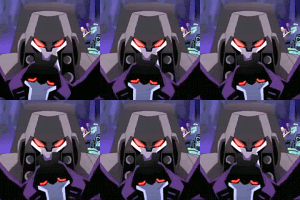
I quickly tossed this togeather to show my work for the last piece :) Hopefully this works :D
If any of you have questions feel free to ask XD
If any of you have questions feel free to ask XD
Category Artwork (Digital) / Fanart
Species Unspecified / Any
Size 560 x 700px
File Size 2.31 MB







No not exactly.
I do the shading once. After I am done with the shading I don't don't normally touch it till later.
I duplicate the layer (so in this case there would be two blue layers) and then I go onto "Image/adjust/gradianmap" The gradiant map allows me to change the color of the layer and adjust the shading without any sort of drawbacks (though it does take some experimenting to learn how the sliders work)
After I choose a color... I set it. So in this case the color is now orange. Then I Erase all the area's that I do NOT want orange to be, and the blue layer below shows through. After I have Erased all the bits of orange, I go back to the original blue layer, I Duplicate it, and I start the process all over with yellow XD
after I have all the base colors down, I then go back in and add details and shading where I may have missed.
Then I add highlights and some lowlights to define form a little (In this case a little bit of blue on the black so he doesn't blend into the background)
Then I create another layer, and set it to screen... Screen is Glow... and I add where I want the glow to be
And then I am done XD
I do the shading once. After I am done with the shading I don't don't normally touch it till later.
I duplicate the layer (so in this case there would be two blue layers) and then I go onto "Image/adjust/gradianmap" The gradiant map allows me to change the color of the layer and adjust the shading without any sort of drawbacks (though it does take some experimenting to learn how the sliders work)
After I choose a color... I set it. So in this case the color is now orange. Then I Erase all the area's that I do NOT want orange to be, and the blue layer below shows through. After I have Erased all the bits of orange, I go back to the original blue layer, I Duplicate it, and I start the process all over with yellow XD
after I have all the base colors down, I then go back in and add details and shading where I may have missed.
Then I add highlights and some lowlights to define form a little (In this case a little bit of blue on the black so he doesn't blend into the background)
Then I create another layer, and set it to screen... Screen is Glow... and I add where I want the glow to be
And then I am done XD
Wow nifty O,0 I might give that technique a try when I have the time O,o never tried "gradianmap" before ^,^
I might also force my self to do the shading first, never done it that way before.
I looks like its clay carved when it reaches that blue with shading. Ha reminds me of Fimo funnily enough.
I might also force my self to do the shading first, never done it that way before.
I looks like its clay carved when it reaches that blue with shading. Ha reminds me of Fimo funnily enough.

I duplicate the layer (so in this case there would be two blue layers) and then I go onto "Image/adjust/gradianmap" The gradiant map allows me to change the color of the layer and adjust the shading without any sort of drawbacks (though it does take some experimenting to learn how the sliders work)
After I choose a color... I set it. So in this case the color is now orange. Then I Erase all the area's that I do NOT want orange to be, and the blue layer below shows through. After I have Erased all the bits of orange, I go back to the original blue layer, I Duplicate it, and I start the process all over with yellow XD
after I have all the base colors down, I then go back in and add details and shading where I may have missed.
After I choose a color... I set it. So in this case the color is now orange. Then I Erase all the area's that I do NOT want orange to be, and the blue layer below shows through. After I have Erased all the bits of orange, I go back to the original blue layer, I Duplicate it, and I start the process all over with yellow XD
after I have all the base colors down, I then go back in and add details and shading where I may have missed.

Comments