
 FA+
FA+ Shop
Shop
948
Views
Views
27
Favorites
Favorites
Category
Artwork (Digital) / Vore
Species Western Dragon
Size 1168 x 2000
File Size 387.7 kB
Report this content
★
More from Ranger


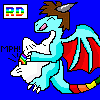
Okay, here three attempts at the same picture using three different shading methods :3
____________________________________________________________________
The first is my current shading style, using a combination of Flash and Photoshop.
The second is completely colored and cell-shaded in Flash, with a little highlight on the belly.
The third is the cell-shaded picture, but with gradient shading added to create more light on the character, plus show off the highlights more.
____________________________________________________________________
So which piccy does everone prefer? :3 I found the first was the fastest, but the third does have a good feel and look to it n.n
____________________________________________________________________
The first is my current shading style, using a combination of Flash and Photoshop.
The second is completely colored and cell-shaded in Flash, with a little highlight on the belly.
The third is the cell-shaded picture, but with gradient shading added to create more light on the character, plus show off the highlights more.
____________________________________________________________________
So which piccy does everone prefer? :3 I found the first was the fastest, but the third does have a good feel and look to it n.n
Category Artwork (Digital) / Vore
Species Western Dragon
Size 1168 x 2000px
File Size 387.7 kB








the third one certainly stands out the most I think.
I always like when people utilize a modified cellshading technique, of implimenting soft shading like elements in each 'cell' if you will. one thing to keep in mind, on the top one your shading is black, and the highliteing is white. that looks somewhat boring, since shading on red scales would be more a darker red, yellow more a yellowing orange, etc. , like you did in the cell shading.
I think you should experiment with one technique of shading, but what colors you use in the shading. like, try doing the top most one, but don't use just black and white for shading. adjust the shading color to what the color is of the thing you're shading. good work =)
I always like when people utilize a modified cellshading technique, of implimenting soft shading like elements in each 'cell' if you will. one thing to keep in mind, on the top one your shading is black, and the highliteing is white. that looks somewhat boring, since shading on red scales would be more a darker red, yellow more a yellowing orange, etc. , like you did in the cell shading.
I think you should experiment with one technique of shading, but what colors you use in the shading. like, try doing the top most one, but don't use just black and white for shading. adjust the shading color to what the color is of the thing you're shading. good work =)
Um, actually, that is what I did o.o At least I think it was. In photoshop I simply used the eyedropper tool to get the color, then editted that color to make it a little darker and went over the edge of the color on the picture with a soft brush n.n;; I've used the Dodge and Burn tools a couple of times in my pieces, but the shading was coming out the same both ways.
well, just moving the color thingy to change it darker is not quite what I meant. look at the darkened yellow on the top most one. it looks more greenish yellow. compare that to the shading on the yellow in the bottom two. that looks better, and -that- is what I meant ^^;



Comments