
 FA+
FA+ Shop
Shop
485
Views
Views
9
Favorites
Favorites
Category
Icons / Animal related (non-anthro)
Species Vulpine (Other)
Size 197 x 132
File Size 36.1 kB
Report this content
More from azurfox


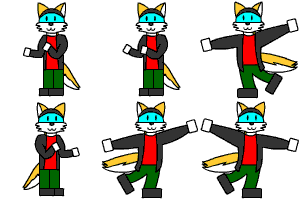
With the permission of 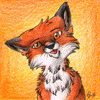 Najlvin I turned his submission into a cute little Firefox-Icon.
Okay, I made two - I wanted to have a blue one, too ^.^;.
They work fine under windows - if you use Mac feel free to ask, the program I used has an option for Mac, too, but I cannot test it because I don´t have one x3.
How-To:
If you want to use them, just download that file. Unzip it. Now decide if you want to use the original Icon or the blue one - there are two seperat folders ^.~.
Now just move both the .ico-files into the following folder: c:\program files\Mozilla Firefox\chrome\icons\default\
(not existing folders are to be created ^.~)
For changing the Icon of your shortcut you just have to right-click on it --> properties --> Shortcut --> Change Icon --> there you give him one of the two .ico files.
Done ^^
Any problems? Feel free to ask ^.^
 Najlvin I turned his submission into a cute little Firefox-Icon.
Okay, I made two - I wanted to have a blue one, too ^.^;.
They work fine under windows - if you use Mac feel free to ask, the program I used has an option for Mac, too, but I cannot test it because I don´t have one x3.
How-To:
If you want to use them, just download that file. Unzip it. Now decide if you want to use the original Icon or the blue one - there are two seperat folders ^.~.
Now just move both the .ico-files into the following folder: c:\program files\Mozilla Firefox\chrome\icons\default\
(not existing folders are to be created ^.~)
For changing the Icon of your shortcut you just have to right-click on it --> properties --> Shortcut --> Change Icon --> there you give him one of the two .ico files.
Done ^^
Any problems? Feel free to ask ^.^
Category Icons / Animal related (non-anthro)
Species Vulpine (Other)
Size 197 x 132px
File Size 36.1 kB








Comments