
 FA+
FA+ Shop
Shop
677
Views
Views
24
Favorites
Favorites
Category
Artwork (Digital) / General Furry Art
Species Unspecified / Any
Size 900 x 800
File Size 516.8 kB
Report this content
More from gul-munthos



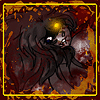
i hate how i screwed up the background by trying to put in the corner.... from now on.. nice, flat, backgrounds!
Mifmaf had this picture and said for someone to color it... so i did, after a while.
Lineart and Character© mifmaf
Color© gul-munthos
Mifmaf had this picture and said for someone to color it... so i did, after a while.
Lineart and Character©
 mifmaf
Color©
 gul-munthos
Category Artwork (Digital) / General Furry Art
Species Unspecified / Any
Size 900 x 800px
File Size 516.8 kB

Whee colors :D
I think the part you executed best is likely the closest thigh, you even defined some of tha anatomy :)
A trick to making those cool room corners that I use.
-Divide the bg into 3 pieces in the shape of the corner.
-Use the gradient tool on the right piece and set its darkest point within the left piece.
-Repeat that process in the left piece while placing its darkest point on the dividing line between the two pieces.
-Repeat again on the bottom piece and place the darkest point slightly lower but on the same line as the left piece.
Then you have yourself a corner :)
I think the part you executed best is likely the closest thigh, you even defined some of tha anatomy :)
A trick to making those cool room corners that I use.
-Divide the bg into 3 pieces in the shape of the corner.
-Use the gradient tool on the right piece and set its darkest point within the left piece.
-Repeat that process in the left piece while placing its darkest point on the dividing line between the two pieces.
-Repeat again on the bottom piece and place the darkest point slightly lower but on the same line as the left piece.
Then you have yourself a corner :)




Comments