
 FA+
FA+ Shop
Shop


1233 submissions


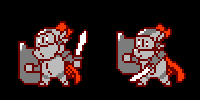
Knight & Rogue Platformer Ideas: Knight (Read Description)
https://www.youtube.com/watch?v=gnqlbEjL9tA
Feedback highly appreciated.
Brainstorming time. 2D platformer. Go.
Welcome to the Beginner's Show~
Today I'll explain the basics of Knight & Rogue combat controls and mechanics.
In Knight & Rogue, each playable character has their preferred weapons to arm themselves in combat. As you can see in this chart, weapons are divided up between left and right hands. Knight uses his left hand for his sword and unarmed abilities, while his right is used for his shield and two different magic affinities.
Assuming the X-box controller layout, using the Left Trigger activates Knight's left handed skills while the Right Trigger activates his right handed skills. Left Bumper will cycle through the different options of Knight's left hand, while the Right Bumper does the same for his right. After all, each hand can only have one ability at a time.
Simple enough so far yes? Don't worry, the control scheme can be customized to your liking, for now I will be explaining the default controls.
Each weapon, skill, or ability, whatever you prefer to call them, have several different attack options. For example, with Knight's sword equipped, pressing the Left Trigger alone will make him swing once. Pressing LT while moving forward with the Left Stick will cause him to jab with his sword, pushing the enemy back a little. However, pressing LT at the same moment of movement and holding the trigger down for a while and releasing, will cause him to charge up an attack that advances him forward spinning once allowing him to hit enemies in front and behind him. I like to call this action a "smash attack." Hohoho~
But I digress.
To summarize, using the Triggers in conjunction with the Left Stick will allow for different attacks with the equipped skill. Practice makes perfect, and if you ever need to see a list of all the specific actions you can perform with an ability, just open up the menu with the Start Button and read up on your character.
Now on to the next lesson.
Depending on what combination of weapons you have equipped, you can perform a super attack. To do this, simply press both Triggers at the same time and hold them down for a second. The only catch is you need at least one charge of Super Meter to perform this attack. The Super Meter is a gauge that charges with every successful normal attack you perform, and upon receiving damage. You can have up to three charges of Super at a given time.
Using Knight on the chart as an example once more, let's say he encounters a powerful enemy and he has two charges of the Super Meter. With his Sword and Shield equipped, he can perform Lionheart, which boosts his Attack and Defense for a short time. He can then press the Right Bumper once to swap to Earth on his right hand. Using his second charge of the Super Meter, he performs Ragnarock, a massive sword made of stone strikes at the enemy and dealing extra damage as he currently has the Lionheart buff.
Basically, knowing the potential of your Super Abilities and finding out when to use them will help you immensely. Keep your Super Meter well charged and try out different weapons and Super Abilities depending on the situation.
This concludes The Beginner's Show. We've only touched on the basics, but through trial will you grow gain experience.
Now choose your favorite character and enjoy the romp through Nettlewood forest! Don't be discouraged if you get knocked out, you can always come and practice at The Beginner's Show!
Knight's Supers:
Sword + Shield = Lionheart (Attack and Defense buff for 30 seconds)
Sword + Earth = Ragnarok (massive sword made of earth falls from the sky)
Sword + Light = Excalibur (cleave with an overhead swing, followed by a beam of light that pierces through enemies)
Unarmed + Shield = Save The Queen (full screen invulnerability for 1 second affects all allies, stuns all enemies, destroys all projectiles)
Unarmed + Earth = Cataclysm (punch the earth knocking all enemies on screen upward, closer enemies take more damage)
Unarmed + Light = Lay On Hands (Heal self and one nearby ally, if no ally in range, double heal)
Feedback highly appreciated.
Brainstorming time. 2D platformer. Go.
Welcome to the Beginner's Show~
Today I'll explain the basics of Knight & Rogue combat controls and mechanics.
In Knight & Rogue, each playable character has their preferred weapons to arm themselves in combat. As you can see in this chart, weapons are divided up between left and right hands. Knight uses his left hand for his sword and unarmed abilities, while his right is used for his shield and two different magic affinities.
Assuming the X-box controller layout, using the Left Trigger activates Knight's left handed skills while the Right Trigger activates his right handed skills. Left Bumper will cycle through the different options of Knight's left hand, while the Right Bumper does the same for his right. After all, each hand can only have one ability at a time.
Simple enough so far yes? Don't worry, the control scheme can be customized to your liking, for now I will be explaining the default controls.
Each weapon, skill, or ability, whatever you prefer to call them, have several different attack options. For example, with Knight's sword equipped, pressing the Left Trigger alone will make him swing once. Pressing LT while moving forward with the Left Stick will cause him to jab with his sword, pushing the enemy back a little. However, pressing LT at the same moment of movement and holding the trigger down for a while and releasing, will cause him to charge up an attack that advances him forward spinning once allowing him to hit enemies in front and behind him. I like to call this action a "smash attack." Hohoho~
But I digress.
To summarize, using the Triggers in conjunction with the Left Stick will allow for different attacks with the equipped skill. Practice makes perfect, and if you ever need to see a list of all the specific actions you can perform with an ability, just open up the menu with the Start Button and read up on your character.
Now on to the next lesson.
Depending on what combination of weapons you have equipped, you can perform a super attack. To do this, simply press both Triggers at the same time and hold them down for a second. The only catch is you need at least one charge of Super Meter to perform this attack. The Super Meter is a gauge that charges with every successful normal attack you perform, and upon receiving damage. You can have up to three charges of Super at a given time.
Using Knight on the chart as an example once more, let's say he encounters a powerful enemy and he has two charges of the Super Meter. With his Sword and Shield equipped, he can perform Lionheart, which boosts his Attack and Defense for a short time. He can then press the Right Bumper once to swap to Earth on his right hand. Using his second charge of the Super Meter, he performs Ragnarock, a massive sword made of stone strikes at the enemy and dealing extra damage as he currently has the Lionheart buff.
Basically, knowing the potential of your Super Abilities and finding out when to use them will help you immensely. Keep your Super Meter well charged and try out different weapons and Super Abilities depending on the situation.
This concludes The Beginner's Show. We've only touched on the basics, but through trial will you grow gain experience.
Now choose your favorite character and enjoy the romp through Nettlewood forest! Don't be discouraged if you get knocked out, you can always come and practice at The Beginner's Show!
Knight's Supers:
Sword + Shield = Lionheart (Attack and Defense buff for 30 seconds)
Sword + Earth = Ragnarok (massive sword made of earth falls from the sky)
Sword + Light = Excalibur (cleave with an overhead swing, followed by a beam of light that pierces through enemies)
Unarmed + Shield = Save The Queen (full screen invulnerability for 1 second affects all allies, stuns all enemies, destroys all projectiles)
Unarmed + Earth = Cataclysm (punch the earth knocking all enemies on screen upward, closer enemies take more damage)
Unarmed + Light = Lay On Hands (Heal self and one nearby ally, if no ally in range, double heal)
Category All / Fantasy
Species Human
Size 1200 x 900px
File Size 40.5 kB


Comments