
 FA+
FA+ Shop
Shop
733
Views
Views
20
Favorites
Favorites
Category
Artwork (Digital) / Miscellaneous
Species Fox (Other)
Size 1280 x 1280
File Size 204.7 kB
Report this content
More from steamfox


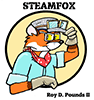
A New Icon, just 'cause I got tired of the previous one. I wanted the image to say a little more about myself.
Category Artwork (Digital) / Miscellaneous
Species Fox (Other)
Size 1280 x 1280px
File Size 204.7 kB



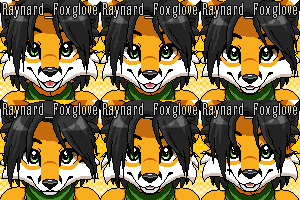

It doesn't appear that the resizing options on paint3d are very strong. For a free option, Gimp'll do the trick quite well.
Here's a 96x100 .gif that seems to look much better when uploaded as an avatar, processed in Photoshop using Bicubic (sharper) settings: https://www.dropbox.com/s/42bpsw72s.....amfox.gif?dl=0
Here's a 96x100 .gif that seems to look much better when uploaded as an avatar, processed in Photoshop using Bicubic (sharper) settings: https://www.dropbox.com/s/42bpsw72s.....amfox.gif?dl=0
There's a test.
You google the name of the art program and look at the image results. Photoshop has loads of artwork and photos. Krita has loads of artwork and photos. Artrage and Clip studio... loads of artwork.
GIMP... Pictures of GIMP.
Because GIMP is only useful for taking screenshots of itself and making copies of the super simple logo to prove that it's actually possible to do so.
You google the name of the art program and look at the image results. Photoshop has loads of artwork and photos. Krita has loads of artwork and photos. Artrage and Clip studio... loads of artwork.
GIMP... Pictures of GIMP.
Because GIMP is only useful for taking screenshots of itself and making copies of the super simple logo to prove that it's actually possible to do so.




Pardon me Roy, is that the Cha -- naah, we won't go there...
This works in the large size, but it gets all pixelated (pixilated?) at small sizes. I can use IrfanView's Resize/Resample to save a better copy for Fatesbork. The problem I see is, the text gets kind of rumpled up on reduction. You might want to enlarge the STEAMFOX lettering so it shows up in the 100 x 100 Fur Affinity avatar window
IrfanView: https://www.irfanview.com/ Free, free, free. Use the 32-bit version unless you have a compelling reason to use the 64-bit. I use both on the same machine, but I edit some humongous files, sometimes.
My favorite graphics manipulation programs are:
PhotoScape: http://www.photoscape.org/ps/main/index.php
Paint.NET: https://www.getpaint.net/
This works in the large size, but it gets all pixelated (pixilated?) at small sizes. I can use IrfanView's Resize/Resample to save a better copy for Fatesbork. The problem I see is, the text gets kind of rumpled up on reduction. You might want to enlarge the STEAMFOX lettering so it shows up in the 100 x 100 Fur Affinity avatar window
IrfanView: https://www.irfanview.com/ Free, free, free. Use the 32-bit version unless you have a compelling reason to use the 64-bit. I use both on the same machine, but I edit some humongous files, sometimes.
My favorite graphics manipulation programs are:
PhotoScape: http://www.photoscape.org/ps/main/index.php
Paint.NET: https://www.getpaint.net/
OH! Thanks for the links. I think I'll "Play" with the Paint NET to see if I can get it to work. In the Paint 3-D program, I printed the Steamfox title at 149, the largest point size they had, and it was still kind of dinky. I found switching the image from jpg format to png kinda helped, but the image still remained crumply. The next time I might try a bolder graphic with no lettering.
I just learned something interesting. I'm trying to set up a new account for my lady friend as a sort of birthday present (poor old thing, she turns 33 next month). The original image is a 1024 x 1024 JPEG. Fine, fine, but Fur Affinity says:
File Requirements
Accepted File Formats - GIF. While JPG and PNG can be uploaded they will be converted to GIF format, with possible loss of quality.
Max File Size - 55 KB
Max Dimensions - 100x100 pixels
Try having Paint.NET save the image at 100 x 100 -- as a GIF. Worth a shot.
File Requirements
Accepted File Formats - GIF. While JPG and PNG can be uploaded they will be converted to GIF format, with possible loss of quality.
Max File Size - 55 KB
Max Dimensions - 100x100 pixels
Try having Paint.NET save the image at 100 x 100 -- as a GIF. Worth a shot.


Comments