
 FA+
FA+ Shop
Shop


329 submissions


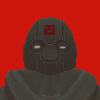
Nothing says fun like sculpting a head in Zbrush, painstakingly retopoing it, then subdividing it so I can sculpt over it
Anywho, Please tell me if something looks off about it: I do want my 3d sculpts to look as attractive as possible and going in with a flawed foundation can be my undoing
Anywho, Please tell me if something looks off about it: I do want my 3d sculpts to look as attractive as possible and going in with a flawed foundation can be my undoing
Category All / All
Species Unspecified / Any
Size 873 x 715px
File Size 164.2 kB

I sculpted out the head in Zbrush (with the mouth closed, no opening), I then brought it into topogun and re-topologised the head to be 90 percent accurate to the original sculpt (Save a slit I cut out for the mouth) and then in Maya I built what is known as a "mouth sock" which is a tad more challenging for anthro characters over human characters: then when I finished all that I brought the re-topoed mesh back into Zbrush and closed the mouth with the "Move topological" brush. Clean topology will bring you a long way.
Anyways: as a fellow Zbrush artist: how would you say this head came out? I'm not looking for praise: I'm looking for critique. Would you say this head works or is it still in the "Uncanny valley" for 3d work?
Anyways: as a fellow Zbrush artist: how would you say this head came out? I'm not looking for praise: I'm looking for critique. Would you say this head works or is it still in the "Uncanny valley" for 3d work?

Yeah I suspected as much, I was wondering if there was a more clear way to do it in Zbrush as opposed to exporting into Maya and manually editing the vertices in the way you wanted.
The head looks just fine at this poly count. As long as it looks reasonably close to what you want at low poly and contains all of the elements you want (Eye sockets, ears, mouth, etc) it's fine. The rest can be blocked out when you transition to high poly. In terms of uncanny valley that's something to consider much later when it looks more detailed since right now it just looks like a low poly representation of a character and doesn't create the uncanny valley effect.
The uncanny valley effect is also something more easily attributed to more human looking characters. With animal characters especially when they're more cartoonishly proportioned you can cheat a lot more.
The head looks just fine at this poly count. As long as it looks reasonably close to what you want at low poly and contains all of the elements you want (Eye sockets, ears, mouth, etc) it's fine. The rest can be blocked out when you transition to high poly. In terms of uncanny valley that's something to consider much later when it looks more detailed since right now it just looks like a low poly representation of a character and doesn't create the uncanny valley effect.
The uncanny valley effect is also something more easily attributed to more human looking characters. With animal characters especially when they're more cartoonishly proportioned you can cheat a lot more.

Comments