
 FA+
FA+ Shop
Shop
1041
Views
Views
103
Favorites
Favorites
Category
Artwork (Digital) / All
Species Exotic (Other)
Size 895 x 1028
File Size 315 kB
Report this content
More from WanderingRae



Listed in Folders


Gesture commissions open: http://www.furaffinity.net/journal/7444270/
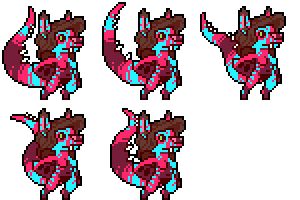
Gesture for dptt of their always-awesome Aurion!
Gesture for
 dptt of their always-awesome Aurion!
Category Artwork (Digital) / All
Species Exotic (Other)
Size 895 x 1028px
File Size 315 kB


There are two ways to do it, but either way, you must first find a free, high-res image of gold foil or gold leaf. Create a new layer in your art document on top of your art. Add image to layer. Make sure the gold image is large enough to cover all areas you want the gold to be.
With a Layer Mask:
Create a Layer Mask on your gold layer so you cannot see the foil, then edit the mask (not the gold but the mask itself) with your brush of choice to reveal the foil where you paint.
Or
With Layer Clipping:
Create a second, blank layer below the gold layer. Set the gold layer to Clipping (in Photoshop, right-click the layer icon to find this option). Paint on the blank layer below. Where you paint on the layer the gold is clipped to, that's where the gold layer will show.
Hope that helps!
With a Layer Mask:
Create a Layer Mask on your gold layer so you cannot see the foil, then edit the mask (not the gold but the mask itself) with your brush of choice to reveal the foil where you paint.
Or
With Layer Clipping:
Create a second, blank layer below the gold layer. Set the gold layer to Clipping (in Photoshop, right-click the layer icon to find this option). Paint on the blank layer below. Where you paint on the layer the gold is clipped to, that's where the gold layer will show.
Hope that helps!

Comments