
 FA+
FA+ Shop
Shop
428
Views
Views
5
Favorites
Favorites
Category
Artwork (Traditional) / General Furry Art
Species Housecat
Size 885 x 1260
File Size 68.8 kB
Report this content
More from Brine
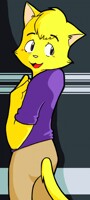
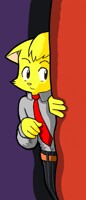
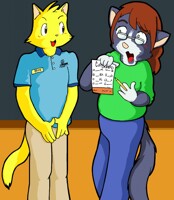
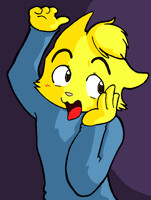
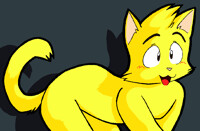


Yay i love you guys~!!! Feel my love.... um... blast??zzz
More about the art:
the 8th and final image in the set, so see you in about 2 weeks ??
Don't forget to Fave, comment, & watch!
Also please Browse my gallery!
More about the art:
the 8th and final image in the set, so see you in about 2 weeks ??
Don't forget to Fave, comment, & watch!
Also please Browse my gallery!
Category Artwork (Traditional) / General Furry Art
Species Housecat
Size 885 x 1260px
File Size 68.8 kB

MS_Paint >_<
1st i draw the image with mechanical pencil
then i ink it (& erase the original line work)
Next i use MS_Paint to 'acquire' image via scanner ( monochrom .BMP )
the monochrom .BMP format only has 2 colors black and white. because it eliminates
grey pixels you can easily manage your original line work.
the next step is a tedious proceess you scan in the image @ 600 dpi but then scale it down to about 33% of the original size depending on the size of the image. but here is where it gets painful, you have to do a process i call "de-burring" where you remove stray pixels, shave off jagged pixels,
fill in bad spots/missing pixels and adjust any linework or errors in the original drawing.
for integrity purposes i rarely do a lot of line editing.
then i change the format to 24-Bit .BMP
Lastly the fun part!! COLORING! i use my own custom pallete, i coral off sections of
open space and use the fill tool to cover those areas quickly.
and i save a copy as .PNG which is this file.
1st i draw the image with mechanical pencil
then i ink it (& erase the original line work)
Next i use MS_Paint to 'acquire' image via scanner ( monochrom .BMP )
the monochrom .BMP format only has 2 colors black and white. because it eliminates
grey pixels you can easily manage your original line work.
the next step is a tedious proceess you scan in the image @ 600 dpi but then scale it down to about 33% of the original size depending on the size of the image. but here is where it gets painful, you have to do a process i call "de-burring" where you remove stray pixels, shave off jagged pixels,
fill in bad spots/missing pixels and adjust any linework or errors in the original drawing.
for integrity purposes i rarely do a lot of line editing.
then i change the format to 24-Bit .BMP
Lastly the fun part!! COLORING! i use my own custom pallete, i coral off sections of
open space and use the fill tool to cover those areas quickly.
and i save a copy as .PNG which is this file.


Comments