
 FA+
FA+ Shop
Shop



Figured it was about time to post some of these guys!
I wound up with a sudden lack of little projects to do yesterday during my stream, and some wonderful folks keeping my company were happy to oblige my offer for some spontaneous/quickie icon slots! This handsome golden fellow belongs to the lovely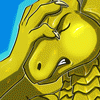 Abraxis, who even requested I sign the big version of his piece.
I had a blast banging these out!
Enjoy!
I wound up with a sudden lack of little projects to do yesterday during my stream, and some wonderful folks keeping my company were happy to oblige my offer for some spontaneous/quickie icon slots! This handsome golden fellow belongs to the lovely
 Abraxis, who even requested I sign the big version of his piece.
I had a blast banging these out!
Enjoy!
1221
Views
16
Comments
110
Favorites
General
Rating

Basically what I do is drop in textures for the 'painterly' thing as a close to finishing step, after I've already knocked in the majority of the colors, so it can be what mostly sits on top of the canvas. You can use a lot of different brushes for it; just screw around and find one with a tooth and texture you like. I have some kind of gnarly, streaky ones that leave a nice aggressive brush bristly thing when I pair it with this technique.
You paint on a new layer over your other stuff, and set the layer to blending options > bevel/emboss. All the defaults it's set to should work fine (you can play with the though, I just tend not to) except that instead of 'smooth' for the setting, you set to 'chisel soft' instead. You can play with the light source direction too if you feel like it. Either way, that's about it! See how it plays with different brush strokes.
Also, if you want the texture but not to actually paint new color on things (so adding texture/chunky canvas grit as a finalizing step basically) you can do the exact same thing but turn the layer fill (not opacity) to 0%, which will show layer effects, but turn all the actual painting invisible. I also vary the intensity of the marks by going in with a soft airbrush eraser and dialing it back so it's not super aggressive.
Hope it helps.
Thank you very much for taking the time to explain it that well ^.^
Cute af