
 FA+
FA+ Shop
Shop
2953
Views
Views
59
Favorites
Favorites
Category
Artwork (Digital) / Baby fur
Species Mouse
Size 1280 x 944
File Size 155.4 kB
Report this content
More from Envy


Listed in Folders


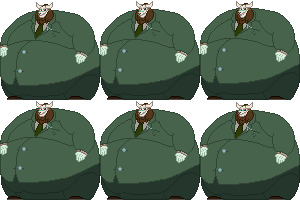
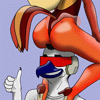
Hey look I actually finished a picture that isn't a commission
Gadget is surprisingly easy to draw. Moreso than the default characters I have to draw in school :I Well, perhaps I'm just better at animals
_______________________________________________________________________
Progression pictures here:
http://overfedvenison.tumblr.com/po.....-picture-i-did
(Also for proof that I drew this because the last time I did this my picture got taken down for violating the ToS :I)
Gadget is surprisingly easy to draw. Moreso than the default characters I have to draw in school :I Well, perhaps I'm just better at animals
_______________________________________________________________________
Progression pictures here:
http://overfedvenison.tumblr.com/po.....-picture-i-did
(Also for proof that I drew this because the last time I did this my picture got taken down for violating the ToS :I)
Category Artwork (Digital) / Baby fur
Species Mouse
Size 1280 x 944px
File Size 155.4 kB
Listed in Folders




I don't have any plugins.
I started with my image, placed it on a backgroud from the show.
Then I simply made a blue layer and added a noise filter, and added a motion blur to get repeating lines. I set that layer to... Screen, I believe? May have been some other filter effect, to make it look like it's on a CRT
I took my art layer and did some assorted tricks to make it blend in more, as if it were on the screen. Then I duplicated it and inched it over, blurred it and set the layer to Colour and turned down the opacity to get the colour to bleed out slightly as you see on old TVs.
Then I just warped the image to fit in the screen, warp it slightly to try and make it more convex, and added a layer to make the colour a bit brighter and wash it out, etc. I could have fit it in the screen better; I'm used to GIMP which allows you to edit the shape of something like this a little more easily.
The reflection is actually just from the image of the TV, I set the layers as such that it still remaind on the final images.
Just basically work through slowly and try and emulate the various kinds of eccentricities of the medium. It's not hard, just a bit time consuming.
I started with my image, placed it on a backgroud from the show.
Then I simply made a blue layer and added a noise filter, and added a motion blur to get repeating lines. I set that layer to... Screen, I believe? May have been some other filter effect, to make it look like it's on a CRT
I took my art layer and did some assorted tricks to make it blend in more, as if it were on the screen. Then I duplicated it and inched it over, blurred it and set the layer to Colour and turned down the opacity to get the colour to bleed out slightly as you see on old TVs.
Then I just warped the image to fit in the screen, warp it slightly to try and make it more convex, and added a layer to make the colour a bit brighter and wash it out, etc. I could have fit it in the screen better; I'm used to GIMP which allows you to edit the shape of something like this a little more easily.
The reflection is actually just from the image of the TV, I set the layers as such that it still remaind on the final images.
Just basically work through slowly and try and emulate the various kinds of eccentricities of the medium. It's not hard, just a bit time consuming.







Comments