
 FA+
FA+ Shop
Shop
1000
Views
Views
87
Favorites
Favorites
Category
Artwork (Digital) / Animal related (non-anthro)
Species Cervine (Other)
Size 965 x 835
File Size 166.5 kB
Report this content
More from Dogsoul


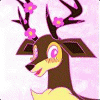
Quick Hjörtr Picture PLUS progress shots/how-to explanation
Had a lot of people recently ask me my methods. I honestly think the way I do most digital art is not great, and am trying to learn newer, better methods...but until then, this is how I do it. :)
First, I look at reference photos to get a "feel" for how I want to do things. Then, I make a general, loose sketch: like this!
Next, I go through and add detailing, more fur definition, and I erase confusing base-sketch lines so I don't make mistakes with them later: Here! (yes, I always use colors, not black to sketch digitally; you'll see why soon.
Then I use black to ink the picture on a new layer. THAT is why I use colored sketches...so I can clearly see what is sketch and what is "ink." I also usually make the sketch semi-opaque to be even clearer: The secret to good inking: LINE QUALITY. Learn it. Use it. LOVE IT.
Next I make a new layer under the lineart, and I make a big blob of white under the figure. This is my "base" for the coloring. Also in this step (since a screenshot of white-on-white-under-ink looks pretty much the same as the above step) I add roughly "sketched" shading in gray: I keep the opacity of the brush at about 20%, so there's plenty of depth and variation. Keep it sloppy, too...gonna detail later.
Then, I make a new layer over the shading/white blob, and use light blue and purple/pink. I do this a LITTLE on most white things, but a LOT on Hjörtr, as he's so spiffy: I make this layer multiplied so the shading shows right through, and I lighten the blue/purple/pink as needed to keep it from getting too colorful.
Next, liberal use of the BLUR tool!!!: Seriously, I blur the shit out of almost everything...it's even how I add most fur texture.
Aaaand here's one of the whole deer, all blurred out: Different degrees of blurring are used; for smoother blurs, I use a large brush with low strength; for fur texture blurs, I use a small brush with about 75%+ strength.
And then I add white for more fur texture and to lighten anything that is too dark: I keep the brush on medium to low opacity so I can go over areas more than once.
Next, on a new layer, I make antler and hoof stuffs: Same basic method as used for the body, too.
After that, I blur the antlers with a hard brush, so they have a less soft texture: Same with the hooves, actually.
Then I carefully erase the hoof/antler crap that is covering the deerparts: Note that I do NOT erase the outside; I do that later and all at once.
Nose and eye detailing on a new layer: Yes, I committed a sin and use the dodge and burn tools on his eye. I KNOW, I R BAD AND I FEEL BAD.
I decided I didn't like the black nose, so I changed it: He is supposed to have a pinkish nose, anyways.
Following all that, I combine all non-lineart layers (excluding BG layer) and I make a layer of a random color behind him (chose purple today) and I begin to hand-erase all around the lineart: Tedious and boring, this step. Very tedious and boring. If I am doing a cartoony commission and using thicker lines, I just select the space around a thing, expand the selection, and it backspace but...I used thin lines for this.
And here he is, right before I selected and backspaced away the outside crap: I decided I like the purple so it gets to be a faked BG.
Not shown: I doodled a shadow, hit the motion blur tool, and then lightened it a little. LAZIEST BG EVAR.
There you go. :)
First, I look at reference photos to get a "feel" for how I want to do things. Then, I make a general, loose sketch: like this!
Next, I go through and add detailing, more fur definition, and I erase confusing base-sketch lines so I don't make mistakes with them later: Here! (yes, I always use colors, not black to sketch digitally; you'll see why soon.
Then I use black to ink the picture on a new layer. THAT is why I use colored sketches...so I can clearly see what is sketch and what is "ink." I also usually make the sketch semi-opaque to be even clearer: The secret to good inking: LINE QUALITY. Learn it. Use it. LOVE IT.
Next I make a new layer under the lineart, and I make a big blob of white under the figure. This is my "base" for the coloring. Also in this step (since a screenshot of white-on-white-under-ink looks pretty much the same as the above step) I add roughly "sketched" shading in gray: I keep the opacity of the brush at about 20%, so there's plenty of depth and variation. Keep it sloppy, too...gonna detail later.
Then, I make a new layer over the shading/white blob, and use light blue and purple/pink. I do this a LITTLE on most white things, but a LOT on Hjörtr, as he's so spiffy: I make this layer multiplied so the shading shows right through, and I lighten the blue/purple/pink as needed to keep it from getting too colorful.
Next, liberal use of the BLUR tool!!!: Seriously, I blur the shit out of almost everything...it's even how I add most fur texture.
Aaaand here's one of the whole deer, all blurred out: Different degrees of blurring are used; for smoother blurs, I use a large brush with low strength; for fur texture blurs, I use a small brush with about 75%+ strength.
And then I add white for more fur texture and to lighten anything that is too dark: I keep the brush on medium to low opacity so I can go over areas more than once.
Next, on a new layer, I make antler and hoof stuffs: Same basic method as used for the body, too.
After that, I blur the antlers with a hard brush, so they have a less soft texture: Same with the hooves, actually.
Then I carefully erase the hoof/antler crap that is covering the deerparts: Note that I do NOT erase the outside; I do that later and all at once.
Nose and eye detailing on a new layer: Yes, I committed a sin and use the dodge and burn tools on his eye. I KNOW, I R BAD AND I FEEL BAD.
I decided I didn't like the black nose, so I changed it: He is supposed to have a pinkish nose, anyways.
Following all that, I combine all non-lineart layers (excluding BG layer) and I make a layer of a random color behind him (chose purple today) and I begin to hand-erase all around the lineart: Tedious and boring, this step. Very tedious and boring. If I am doing a cartoony commission and using thicker lines, I just select the space around a thing, expand the selection, and it backspace but...I used thin lines for this.
And here he is, right before I selected and backspaced away the outside crap: I decided I like the purple so it gets to be a faked BG.
Not shown: I doodled a shadow, hit the motion blur tool, and then lightened it a little. LAZIEST BG EVAR.
There you go. :)
Category Artwork (Digital) / Animal related (non-anthro)
Species Cervine (Other)
Size 965 x 835px
File Size 166.5 kB



Comments