
 FA+
FA+ Shop
Shop
186
Views
Views
2
Favorites
Favorites
Category
Artwork (Digital) / Pokemon
Species Mouse
Size 300 x 300
File Size 6.1 kB
Report this content
More from K-PUZ


somehow whenever i want to make a gift is when my drawing sucks the worst =(
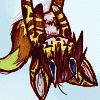
it is supposed to be Drake Grey as a Pikachu with his favorite pipe... "Drakachu"...
(the BG is transparent so u have to full view to see it clear)
Grey, see the green writing? dat is how my handwriting normally looks... =/
i'm sorry it turns out so bad, Grey... i tried doing what u said, making frame work first, like with circles and drawing lines in the circles and stuff, but it only worked for the face, i had to get rid of the framework to make the rest cuz it keep messing me up...
for some reason this style of digital drawing does not work in photoshop too well either... i do much better with the online program, but the problem is the online program dont have layers so dat i cannot hide the framework, so it just end up looking very bad =<
i will delete this one if u dont like it... i only post it to show u i did try to make u something, but it did not work...
do u want me to delete it?
[edit]
i also try to use all your official colors in it too but i dont think dat work too well either...
it is supposed to be Drake Grey as a Pikachu with his favorite pipe... "Drakachu"...
(the BG is transparent so u have to full view to see it clear)
Grey, see the green writing? dat is how my handwriting normally looks... =/
i'm sorry it turns out so bad, Grey... i tried doing what u said, making frame work first, like with circles and drawing lines in the circles and stuff, but it only worked for the face, i had to get rid of the framework to make the rest cuz it keep messing me up...
for some reason this style of digital drawing does not work in photoshop too well either... i do much better with the online program, but the problem is the online program dont have layers so dat i cannot hide the framework, so it just end up looking very bad =<
i will delete this one if u dont like it... i only post it to show u i did try to make u something, but it did not work...
do u want me to delete it?
[edit]
i also try to use all your official colors in it too but i dont think dat work too well either...
Category Artwork (Digital) / Pokemon
Species Mouse
Size 300 x 300px
File Size 6.1 kB

http://www.furaffinity.net/view/1103430/ Here's my advice. You'll see that there's very little to change ^u^b

Your handwriting is cleaner than mine bro! *look at the MVPuZzy for example*
The face looks very nice as you said, but you made the body look like an official pikachu and the concept is very original too! :3
I personally think this look makes pikachu fuzzy and cute, I like the look of it, really! :3
Please don't be so harsh on yourself, if you need to give your self esteem a boost take a look at my own gallery.
The face looks very nice as you said, but you made the body look like an official pikachu and the concept is very original too! :3
I personally think this look makes pikachu fuzzy and cute, I like the look of it, really! :3
Please don't be so harsh on yourself, if you need to give your self esteem a boost take a look at my own gallery.
well, if u look at my avatar, dat is the style of pikachu i like... it is fuzzy and cute to me but not totlly round like the official one... i especially like the head shape to be natural and not round, as well as having natural shapes for the rest of the body... i much prefer a realistic but still cute pikachu over the smooth round official one...
this is the online one, i luff sketching in it, i just wish it worked better with WACOM (flipping the pen for the eraser) and had at least 2 layers... but check it, is very fun: http://www.billybear4kids.com/Learn.....am/drawing.htm
...by teh way, do u kno if the photoshop pencil can have a custom pointer? i want a regular mouse pointer for the pencil... like on the online program, u can draw with the mouse pointer, i like it dat way... the pencil shape in photoshop confuses my lines with the tilt, but otherwise i cannot see it with the crosshair cuz for one my LCD screen and fro two cuz of it only being 1 pixel wide when the brush size is set to 1 pixel...
...by teh way, do u kno if the photoshop pencil can have a custom pointer? i want a regular mouse pointer for the pencil... like on the online program, u can draw with the mouse pointer, i like it dat way... the pencil shape in photoshop confuses my lines with the tilt, but otherwise i cannot see it with the crosshair cuz for one my LCD screen and fro two cuz of it only being 1 pixel wide when the brush size is set to 1 pixel...
There is a setting that you can change, I prefer the crosshair sometimes, but somewhere in preferences you can change it to a small circle, that would be the same size always as the brush you were using. The crosshair definitely gets hard to see. I dont know if you can make it a regular mouse pointer, but you can make it more visible, anyways.
well, i can turn the brush circle into a little picture of a brush, and the "pencil" into the shape of a pencil also, but no mouse pointer...
well thank u anyway, i guess i will just have to be happy with the online one for mouse pointer drawing ^^;
(i like the mouse pointer cuz it is very easy for me to be more precise with it)
well thank u anyway, i guess i will just have to be happy with the online one for mouse pointer drawing ^^;
(i like the mouse pointer cuz it is very easy for me to be more precise with it)



Comments