
 FA+
FA+ Shop
Shop
394
Views
Views
13
Favorites
Favorites
Category
Artwork (Digital) / All
Species Unspecified / Any
Size 539 x 1280
File Size 125.3 kB
Report this content
More from guyver47


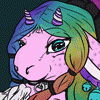
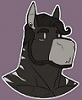
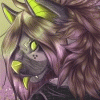
This is an opencanvas compilation of three different uses of the program. Thanks to Showkaizer for fixing my problem with it.
I'm getting much more comfortable with my tablet now. ^^
Top image:
First use of oC. Some G47 fan service for Show. ;) <3
I erased the nipples to make this general audience.
Middle image:
Third use of oC and second time working with Kkitty! <3
She asked me to draw her lesser used character, Ace.
So pretty!
Bottom image:
Second time using oC and first time working with Kkitty. <3
I kinda did my own thing and made Kkitty's self into a kitty avian hybrid. rofl XD
Kkitty and Ace © Koalakitty23
Guyver47 © Alicia Boros/Guyver47 2008
I'm getting much more comfortable with my tablet now. ^^
Top image:
First use of oC. Some G47 fan service for Show. ;) <3
I erased the nipples to make this general audience.
Middle image:
Third use of oC and second time working with Kkitty! <3
She asked me to draw her lesser used character, Ace.
So pretty!
Bottom image:
Second time using oC and first time working with Kkitty. <3
I kinda did my own thing and made Kkitty's self into a kitty avian hybrid. rofl XD
Kkitty and Ace © Koalakitty23
Guyver47 © Alicia Boros/Guyver47 2008
Category Artwork (Digital) / All
Species Unspecified / Any
Size 539 x 1280px
File Size 125.3 kB

The only way I can describe it is that it behaves like paint in real life. Whatever color you have on one layer, anything you add over it on that same layer will automatically be pulled and blended into every stroke with a different color thereafter by the program.
I don't know if watching an event file might help? http://www.mediafire.com/?0lmzzmagepz
And thank ya! :D
I don't know if watching an event file might help? http://www.mediafire.com/?0lmzzmagepz
And thank ya! :D
It definitely threw a learning curve at me when I first used it. I wasn't expecting the blending feature of the program. If you're able to pull the watercolor tool in downward strokes quickly, then that's all you really need to be able to do. Whatever colors you put on top will blend into the one below it on that same layer.
^^ and thank you! <3
^^ and thank you! <3

Thank you! I like it the most also.
A beginning step to working your way to digital media is to start with a pencil and paper, and practice "pressure sensitivity" exercises first. Just take your pencil (angling it so you're using the side of the lead, not as if to write with the point) and lightly make one motion strokes away from yourself, gradually pressing harder until you're able to create a smooth transition from light to dark. It's like training yourself to know just how much harder you have to press to darken something. Or if you have a tablet, you could go right to digital canvas and do the same exercises. It all depends on your comfort level.
Maybe watching an event file from open canvas might help? If you have the freeware version, you can download and open the file to watch it replay from beginning to end. http://www.mediafire.com/?0lmzzmagepz
A beginning step to working your way to digital media is to start with a pencil and paper, and practice "pressure sensitivity" exercises first. Just take your pencil (angling it so you're using the side of the lead, not as if to write with the point) and lightly make one motion strokes away from yourself, gradually pressing harder until you're able to create a smooth transition from light to dark. It's like training yourself to know just how much harder you have to press to darken something. Or if you have a tablet, you could go right to digital canvas and do the same exercises. It all depends on your comfort level.
Maybe watching an event file from open canvas might help? If you have the freeware version, you can download and open the file to watch it replay from beginning to end. http://www.mediafire.com/?0lmzzmagepz


Comments